Wordpress aufsetzen  und pimpen Digitalks Workshop am 19.01.2011 Mag. (FH) Robert Harm
Agenda Mein Wordpress-Hintergrund Installation und erste Schritte Plugins für verschiedene Zwecke Wordpress & Sicherheit Tools & Checklisten
Mein Hintergrund Webentwickler seit 1995 November 2007 erste Wordpress-Installation Betreue derzeit ca. 20 Wordpress-Installationen Webtermine.at Open3.at Digitalks.at
Installation und erste Schritte http://wordpress-deutschland.org/ Dateien via FTP hochladen WP-Config bearbeiten Installieren Erster Rundgang
Themes Vorsicht bei kostenlosen Themes!  http://bit.ly/gjqF99 Exploit Scanner Plugin  http://bit.ly/epzVDo TAC (Theme Authenticity Checker)  http://bit.ly/hTaFID   Antivirus Plugin  http://bit.ly/hNVbPb   http://delicious.com/robertharm/wordpress+themes Anatomy eines Wordpress-Themes  http://j.mp/f1WLCu   WordPress Child Theme for Twenty Ten: Accessible 1.0  http://bit.ly/e12PCo
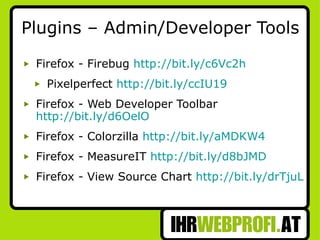
Plugins – Admin/Developer Tools Firefox - Firebug  http://bit.ly/c6Vc2h Pixelperfect  http://bit.ly/ccIU19 Firefox - Web Developer Toolbar  http://bit.ly/d6OelO Firefox - Colorzilla  http://bit.ly/aMDKW4 Firefox - MeasureIT  http://bit.ly/d8bJMD Firefox - View Source Chart  http://bit.ly/drTjuL
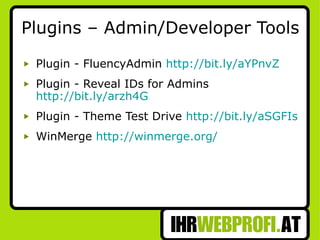
Plugins – Admin/Developer Tools Plugin - FluencyAdmin  http://bit.ly/aYPnvZ Plugin - Reveal IDs for Admins  http://bit.ly/arzh4G Plugin - Theme Test Drive  http://bit.ly/aSGFIs WinMerge  http://winmerge.org/
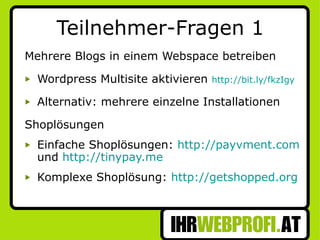
Teilnehmer-Fragen 1 Mehrere Blogs in einem Webspace betreiben Wordpress Multisite aktivieren  http://bit.ly/fkzIgy Alternativ: mehrere einzelne Installationen Shoplösungen Einfache Shoplösungen:  http://payvment.com  und  http://tinypay.me Komplexe Shoplösung:  http://getshopped.org
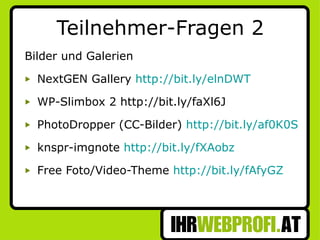
Teilnehmer-Fragen 2 Bilder und Galerien NextGEN Gallery  http://bit.ly/elnDWT   WP-Slimbox 2 http://bit.ly/faXl6J PhotoDropper (CC-Bilder)  http://bit.ly/af0K0S knspr-imgnote  http://bit.ly/fXAobz   Free Foto/Video-Theme  http://bit.ly/fAfyGZ
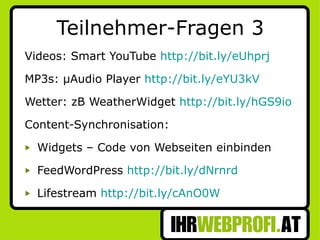
Teilnehmer-Fragen 3 Videos: Smart YouTube  http://bit.ly/eUhprj   MP3s: µAudio Player  http://bit.ly/eYU3kV Wetter: zB WeatherWidget  http://bit.ly/hGS9io   Content-Synchronisation: Widgets – Code von Webseiten einbinden FeedWordPress  http://bit.ly/dNrnrd   Lifestream  http://bit.ly/cAnO0W
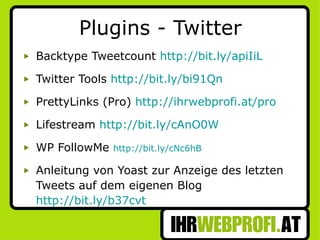
Plugins - Twitter Backtype Tweetcount  http://bit.ly/apiIiL Twitter Tools  http://bit.ly/bi91Qn PrettyLinks (Pro)  http://ihrwebprofi.at/pro Lifestream  http://bit.ly/cAnO0W WP FollowMe  http://bit.ly/cNc6hB Anleitung von Yoast zur Anzeige des letzten Tweets auf dem eigenen Blog  http://bit.ly/b37cvt
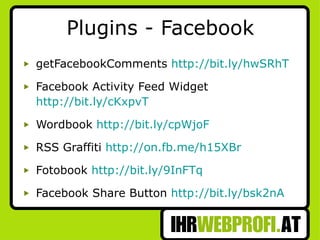
Plugins - Facebook getFacebookComments  http://bit.ly/hwSRhT   Facebook Activity Feed Widget  http://bit.ly/cKxpvT Wordbook  http://bit.ly/cpWjoF RSS Graffiti  http://on.fb.me/h15XBr   Fotobook  http://bit.ly/9InFTq Facebook Share Button  http://bit.ly/bsk2nA
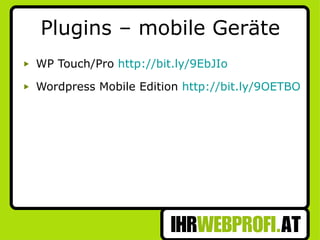
Plugins – mobile Geräte WP Touch/Pro  http://bit.ly/9EbJIo Wordpress Mobile Edition  http://bit.ly/9OETBO
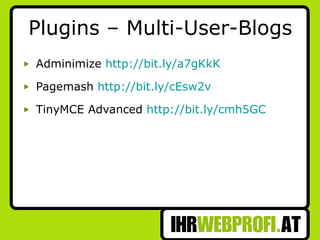
Plugins – Multi-User-Blogs Adminimize  http://bit.ly/a7gKkK Pagemash  http://bit.ly/cEsw2v TinyMCE Advanced  http://bit.ly/cmh5GC
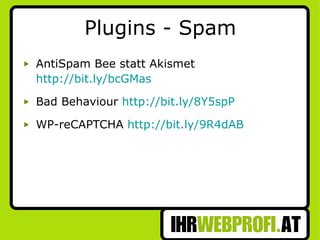
Plugins - Spam AntiSpam Bee statt Akismet  http://bit.ly/bcGMas Bad Behaviour  http://bit.ly/8Y5spP WP-reCAPTCHA  http://bit.ly/9R4dAB
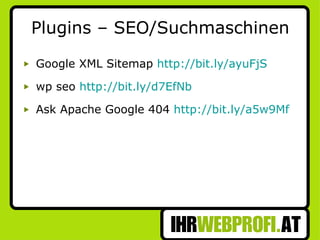
Plugins – SEO/Suchmaschinen Google XML Sitemap  http://bit.ly/ayuFjS wp seo  http://bit.ly/d7EfNb Ask Apache Google 404  http://bit.ly/a5w9Mf
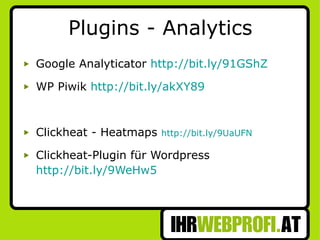
Plugins - Analytics Google Analyticator  http://bit.ly/91GShZ WP Piwik  http://bit.ly/akXY89 Clickheat - Heatmaps  http://bit.ly/9UaUFN Clickheat-Plugin für Wordpress  http://bit.ly/9WeHw5
Mehrsprachige Blogs Qtranslate  http://bit.ly/czjfxz Codestyle Localization  http://bit.ly/c234e9
Wordpress & Sicherheit Backup, Backup, Backup Regelmäßige Updates Admin-User – als Benutzername bei Installation NICHT admin wählen  WP-Config.php schützen  http://bit.ly/d0dSwM WP Unique Keys verwenden  http://bit.ly/acMZJn
Wordpress & Sicherheit WP-Admin-Verzeichnis nur für gewisse IPs  http://bit.ly/cGm3N9 Plugins: Limit Login Attempts ( http://bit.ly/bTbAjP ) Wordpress Firewall ( http://tinyurl.com/8mu3af )
Wordpress & Performance Tutorial:  http://www.ihrwebprofi.at/speed   Bilder als erster Punkt zur Optimierung Komprimierung/Caching aktivieren Empfehlung: W3 Total Cache  http://bit.ly/gJYhTp Theme für mobile Geräte bereitstellen CDN / Amazon S3 bei Bedarf verwenden
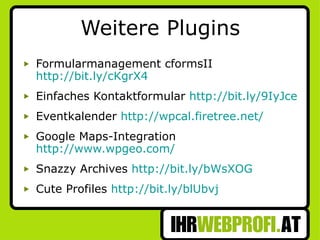
Weitere Plugins Formularmanagement cformsII  http://bit.ly/cKgrX4 Einfaches Kontaktformular  http://bit.ly/9IyJce Eventkalender  http://wpcal.firetree.net/ Google Maps-Integration  http://www.wpgeo.com/ Snazzy Archives  http://bit.ly/bWsXOG Cute Profiles  http://bit.ly/blUbvj
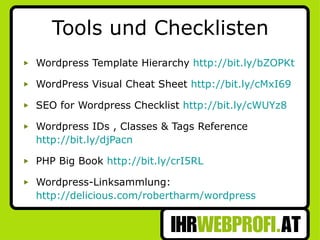
Tools und Checklisten Wordpress Template Hierarchy  http://bit.ly/bZOPKt WordPress Visual Cheat Sheet  http://bit.ly/cMxI69 SEO for Wordpress Checklist  http://bit.ly/cWUYz8 Wordpress IDs , Classes & Tags Reference  http://bit.ly/djPacn PHP Big Book  http://bit.ly/crI5RL Wordpress-Linksammlung:  http://delicious.com/robertharm/wordpress
Mag. (FH) Robert Harm +43 650 941 95 72 [email_address]

"WordPress Blog Aufsetzen und Pimpen"

  • 1.
    Wordpress aufsetzen und pimpen Digitalks Workshop am 19.01.2011 Mag. (FH) Robert Harm
  • 2.
    Agenda Mein Wordpress-HintergrundInstallation und erste Schritte Plugins für verschiedene Zwecke Wordpress & Sicherheit Tools & Checklisten
  • 3.
    Mein Hintergrund Webentwicklerseit 1995 November 2007 erste Wordpress-Installation Betreue derzeit ca. 20 Wordpress-Installationen Webtermine.at Open3.at Digitalks.at
  • 4.
    Installation und ersteSchritte http://wordpress-deutschland.org/ Dateien via FTP hochladen WP-Config bearbeiten Installieren Erster Rundgang
  • 5.
    Themes Vorsicht beikostenlosen Themes! http://bit.ly/gjqF99 Exploit Scanner Plugin http://bit.ly/epzVDo TAC (Theme Authenticity Checker) http://bit.ly/hTaFID Antivirus Plugin http://bit.ly/hNVbPb http://delicious.com/robertharm/wordpress+themes Anatomy eines Wordpress-Themes http://j.mp/f1WLCu WordPress Child Theme for Twenty Ten: Accessible 1.0 http://bit.ly/e12PCo
  • 6.
    Plugins – Admin/DeveloperTools Firefox - Firebug http://bit.ly/c6Vc2h Pixelperfect http://bit.ly/ccIU19 Firefox - Web Developer Toolbar http://bit.ly/d6OelO Firefox - Colorzilla http://bit.ly/aMDKW4 Firefox - MeasureIT http://bit.ly/d8bJMD Firefox - View Source Chart http://bit.ly/drTjuL
  • 7.
    Plugins – Admin/DeveloperTools Plugin - FluencyAdmin http://bit.ly/aYPnvZ Plugin - Reveal IDs for Admins http://bit.ly/arzh4G Plugin - Theme Test Drive http://bit.ly/aSGFIs WinMerge http://winmerge.org/
  • 8.
    Teilnehmer-Fragen 1 MehrereBlogs in einem Webspace betreiben Wordpress Multisite aktivieren http://bit.ly/fkzIgy Alternativ: mehrere einzelne Installationen Shoplösungen Einfache Shoplösungen: http://payvment.com und http://tinypay.me Komplexe Shoplösung: http://getshopped.org
  • 9.
    Teilnehmer-Fragen 2 Bilderund Galerien NextGEN Gallery http://bit.ly/elnDWT WP-Slimbox 2 http://bit.ly/faXl6J PhotoDropper (CC-Bilder) http://bit.ly/af0K0S knspr-imgnote http://bit.ly/fXAobz Free Foto/Video-Theme http://bit.ly/fAfyGZ
  • 10.
    Teilnehmer-Fragen 3 Videos:Smart YouTube http://bit.ly/eUhprj MP3s: µAudio Player http://bit.ly/eYU3kV Wetter: zB WeatherWidget http://bit.ly/hGS9io Content-Synchronisation: Widgets – Code von Webseiten einbinden FeedWordPress http://bit.ly/dNrnrd Lifestream http://bit.ly/cAnO0W
  • 11.
    Plugins - TwitterBacktype Tweetcount http://bit.ly/apiIiL Twitter Tools http://bit.ly/bi91Qn PrettyLinks (Pro) http://ihrwebprofi.at/pro Lifestream http://bit.ly/cAnO0W WP FollowMe http://bit.ly/cNc6hB Anleitung von Yoast zur Anzeige des letzten Tweets auf dem eigenen Blog http://bit.ly/b37cvt
  • 12.
    Plugins - FacebookgetFacebookComments http://bit.ly/hwSRhT Facebook Activity Feed Widget http://bit.ly/cKxpvT Wordbook http://bit.ly/cpWjoF RSS Graffiti http://on.fb.me/h15XBr Fotobook http://bit.ly/9InFTq Facebook Share Button http://bit.ly/bsk2nA
  • 13.
    Plugins – mobileGeräte WP Touch/Pro http://bit.ly/9EbJIo Wordpress Mobile Edition http://bit.ly/9OETBO
  • 14.
    Plugins – Multi-User-BlogsAdminimize http://bit.ly/a7gKkK Pagemash http://bit.ly/cEsw2v TinyMCE Advanced http://bit.ly/cmh5GC
  • 15.
    Plugins - SpamAntiSpam Bee statt Akismet http://bit.ly/bcGMas Bad Behaviour http://bit.ly/8Y5spP WP-reCAPTCHA http://bit.ly/9R4dAB
  • 16.
    Plugins – SEO/SuchmaschinenGoogle XML Sitemap http://bit.ly/ayuFjS wp seo http://bit.ly/d7EfNb Ask Apache Google 404 http://bit.ly/a5w9Mf
  • 17.
    Plugins - AnalyticsGoogle Analyticator http://bit.ly/91GShZ WP Piwik http://bit.ly/akXY89 Clickheat - Heatmaps http://bit.ly/9UaUFN Clickheat-Plugin für Wordpress http://bit.ly/9WeHw5
  • 18.
    Mehrsprachige Blogs Qtranslate http://bit.ly/czjfxz Codestyle Localization http://bit.ly/c234e9
  • 19.
    Wordpress & SicherheitBackup, Backup, Backup Regelmäßige Updates Admin-User – als Benutzername bei Installation NICHT admin wählen WP-Config.php schützen http://bit.ly/d0dSwM WP Unique Keys verwenden http://bit.ly/acMZJn
  • 20.
    Wordpress & SicherheitWP-Admin-Verzeichnis nur für gewisse IPs http://bit.ly/cGm3N9 Plugins: Limit Login Attempts ( http://bit.ly/bTbAjP ) Wordpress Firewall ( http://tinyurl.com/8mu3af )
  • 21.
    Wordpress & PerformanceTutorial: http://www.ihrwebprofi.at/speed Bilder als erster Punkt zur Optimierung Komprimierung/Caching aktivieren Empfehlung: W3 Total Cache http://bit.ly/gJYhTp Theme für mobile Geräte bereitstellen CDN / Amazon S3 bei Bedarf verwenden
  • 22.
    Weitere Plugins FormularmanagementcformsII http://bit.ly/cKgrX4 Einfaches Kontaktformular http://bit.ly/9IyJce Eventkalender http://wpcal.firetree.net/ Google Maps-Integration http://www.wpgeo.com/ Snazzy Archives http://bit.ly/bWsXOG Cute Profiles http://bit.ly/blUbvj
  • 23.
    Tools und ChecklistenWordpress Template Hierarchy http://bit.ly/bZOPKt WordPress Visual Cheat Sheet http://bit.ly/cMxI69 SEO for Wordpress Checklist http://bit.ly/cWUYz8 Wordpress IDs , Classes & Tags Reference http://bit.ly/djPacn PHP Big Book http://bit.ly/crI5RL Wordpress-Linksammlung: http://delicious.com/robertharm/wordpress
  • 24.
    Mag. (FH) RobertHarm +43 650 941 95 72 [email_address]