WP-CLI - Ein Kommandozeilen Interface 	

für WordPress 	

23.10.2013 Frank Staude <frank@staude.net>
WP-CLI ?
WP-CLI ( WordPress - Command Line Interface) ist ein Programm, mit dem man
Wordpress per Kommandozeile bedienen kann.	

!

Warum braucht man das?	

- Admins sind gewohnt mit der Tastatur zu arbeiten	

- Mit der Tastatur ist man in der Regel schneller als in einem Webinterface 	

- Mit Kommandos kann man Aufgaben automatisieren
Voraussetzungen
Um WP-CLI zu installieren braucht es ein paar Dinge	

!

- Unix shell. ( OS X, Linux, Windows mit Cygwin)	

- PHP 5.3 oder neuer 	

- php-cli im PHP aktiviert (php -v / phpinfo zum prüfen)	

- Git	

- Wordpress 3.4 oder neuer	

!
Installation
Ein Installationsscript kann direkt von GitHub geladen und ausgeführt werden.	
!

curl https://raw.github.com/wp-cli/wp-cli.github.com/master/installer.sh | bash	

!

Das installiert WP-CLI im Verzeichnis .wp-cli im Benutzerverzeichnis.	

Damit es von überall gefunden wird, sollte man danach noch das bin Verzeichnis von
wp-cli mit im Pfad seiner Shell aufnehmen. Eine Entsprechende Meldung gibt der
Installer aus.	
!

MySQL muss im Pfad liegen, sonst scheitert wp core config 	

!

Alternative Installationsmethoden: https://github.com/wp-cli/wp-cli/wiki/AlternativeInstall-Methods
Erster Start
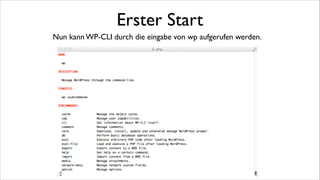
Nun kann WP-CLI durch die Eingabe von wp aufgerufen werden.	

!
Mehr Komfort
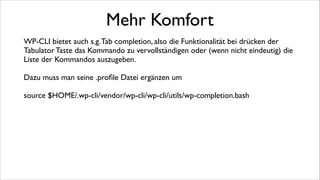
WP-CLI bietet auch s.g. Tab completion, also die Funktionalität bei drücken der
Tabulator Taste das Kommando zu vervollständigen oder (wenn nicht eindeutig) die
Liste der Kommandos auszugeben.	

!

Dazu muss man seine .profile Datei ergänzen um	

!

source $HOME/.wp-cli/vendor/wp-cli/wp-cli/utils/wp-completion.bash	

!
!
wp
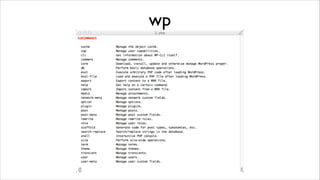
wp cache
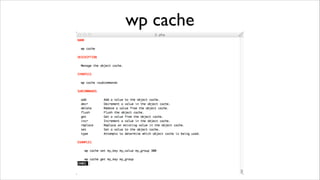
wp cap
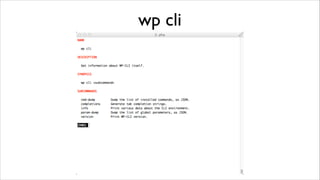
wp cli
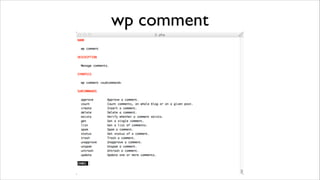
wp comment
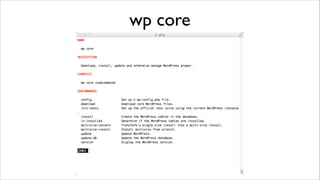
wp core
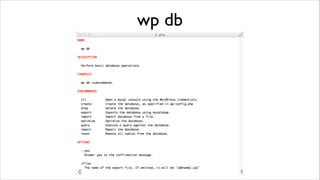
wp db
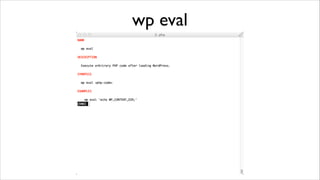
wp eval
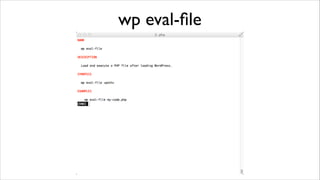
wp eval-file
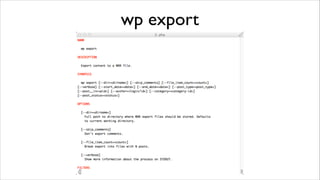
wp export
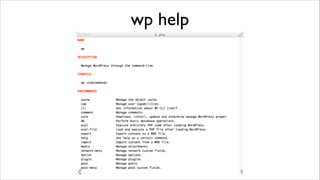
wp help
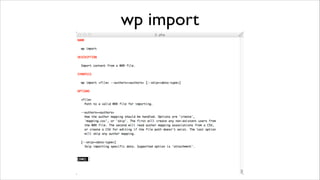
wp import
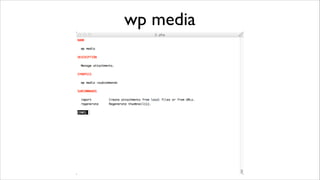
wp media
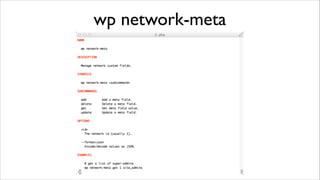
wp network-meta
wp option
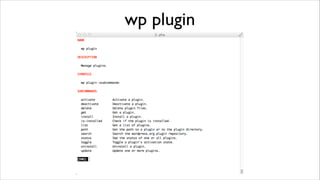
wp plugin
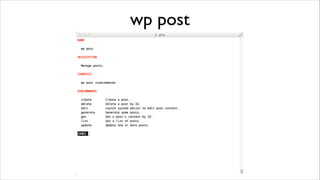
wp post
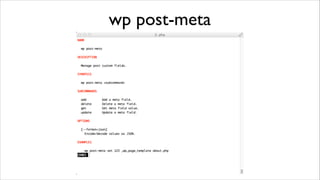
wp post-meta
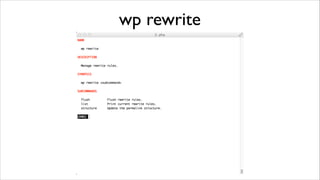
wp rewrite
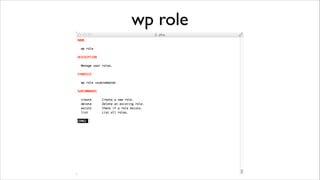
wp role
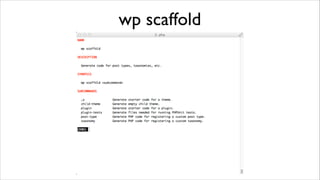
wp scaffold
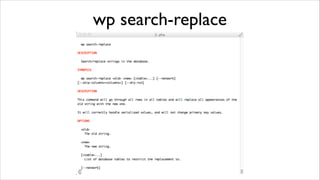
wp search-replace
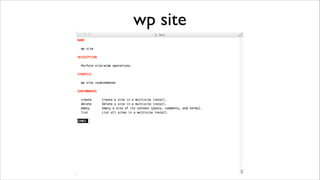
wp site
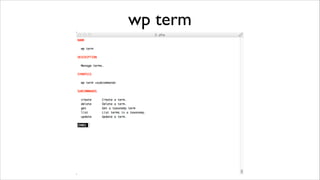
wp term
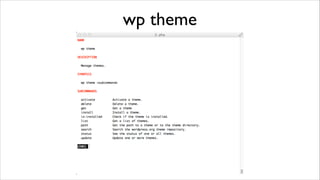
wp theme
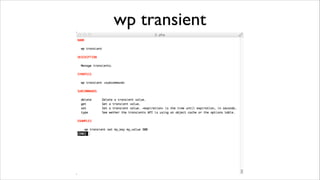
wp transient
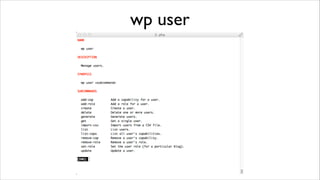
wp user
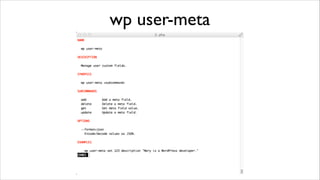
wp user-meta
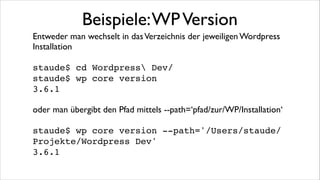
Beispiele: WP Version
Entweder man wechselt in das Verzeichnis der jeweiligen Wordpress
Installation	

!

staude$ cd Wordpress Dev/!
staude$ wp core version!
3.6.1!
!

oder man übergibt den Pfad mittels --path=‘pfad/zur/WP/Installation‘	

!

staude$ wp core version --path='/Users/staude/
Projekte/Wordpress Dev'!
3.6.1!
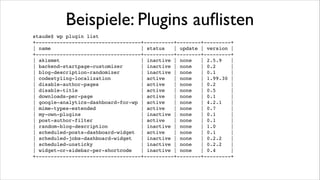
Beispiele: Plugins auflisten
staude$ wp plugin list!
+-----------------------------------+----------+--------+---------+!
| name
| status
| update | version |!
+-----------------------------------+----------+--------+---------+!
| akismet
| inactive | none
| 2.5.9
|!
| backend-startpage-customizer
| inactive | none
| 0.2
|!
| blog-description-randomizer
| inactive | none
| 0.1
|!
| codestyling-localization
| active
| none
| 1.99.30 |!
| disable-author-pages
| active
| none
| 0.2
|!
| disable-title
| active
| none
| 0.5
|!
| downloads-per-page
| active
| none
| 0.1
|!
| google-analytics-dashboard-for-wp | active
| none
| 4.2.1
|!
| mime-types-extended
| active
| none
| 0.7
|!
| my-own-plugins
| inactive | none
| 0.1
|!
| post-author-filter
| active
| none
| 0.1
|!
| random-blog-description
| inactive | none
| 1.0
|!
| scheduled-posts-dashboard-widget | active
| none
| 0.1
|!
| scheduled-jobs-dashboard-widget
| inactive | none
| 0.2.2
|!
| scheduled-unsticky
| inactive | none
| 0.2.2
|!
| widget-or-sidebar-per-shortcode
| inactive | none
| 0.4
|!
+-----------------------------------+----------+--------+---------+!
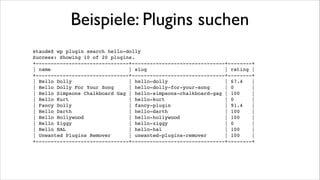
Beispiele: Plugins suchen
staude$ wp plugin search hello-dolly!
Success: Showing 10 of 20 plugins.!
+-------------------------------+-------------------------------+--------+!
| name
| slug
| rating |!
+-------------------------------+-------------------------------+--------+!
| Hello Dolly
| hello-dolly
| 67.4
|!
| Hello Dolly For Your Song
| hello-dolly-for-your-song
| 0
|!
| Hello Simpsons Chalkboard Gag | hello-simpsons-chalkboard-gag | 100
|!
| Hello Kurt
| hello-kurt
| 0
|!
| Fancy Dolly
| fancy-plugin
| 91.4
|!
| Hello Darth
| hello-darth
| 100
|!
| Hello Hollywood
| hello-hollywood
| 100
|!
| Hello Ziggy
| hello-ziggy
| 0
|!
| Hello HAL
| hello-hal
| 100
|!
| Unwanted Plugins Remover
| unwanted-plugins-remover
| 100
|!
+-------------------------------+-------------------------------+--------+!
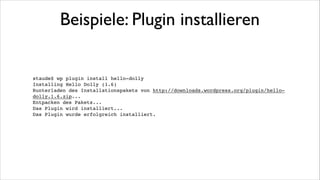
Beispiele: Plugin installieren

staude$ wp plugin install hello-dolly!
Installing Hello Dolly (1.6)!
Runterladen des Installationspakets von http://downloads.wordpress.org/plugin/hellodolly.1.6.zip...!
Entpacken des Pakets...!
Das Plugin wird installiert...!
Das Plugin wurde erfolgreich installiert.!
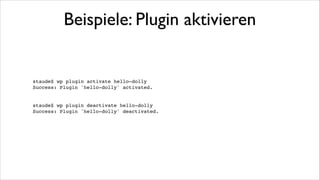
Beispiele: Plugin aktivieren

staude$ wp plugin activate hello-dolly!
Success: Plugin 'hello-dolly' activated.!

!
!

staude$ wp plugin deactivate hello-dolly!
Success: Plugin 'hello-dolly' deactivated.!
Beispiele: WP installieren
In ein neues, leeres Verzeichnis gehen (oder --path überall angeben)!

!

staude$ wp core download!
Downloading latest WordPress (en_US)...!
Success: WordPress downloaded.!

!

staude$ wp core config --dbname=Datenbank --dbuser=Benutzer --dbpass=Kennwort!
Success: Generated wp-config.php file.!

!

staude$ wp core install --url=test.de --title=title --admin_user=adminBenutzer
--admin_password=adminKennwort --admin_email=admin@domain.tld!
Success: WordPress installed successfully.!
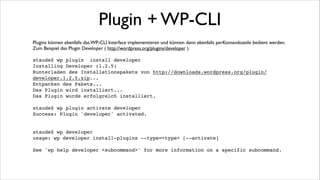
Plugin + WP-CLI
Plugins können ebenfalls das WP-CLI Interface implementieren und können dann ebenfalls perKomandozeile bedient werden.	

Zum Beispiel das Plugin Developer ( http://wordpress.org/plugins/developer ). 	


!

staude$ wp plugin install developer!
Installing Developer (1.2.5)!
Runterladen des Installationspakets von http://downloads.wordpress.org/plugin/
developer.1.2.5.zip...!
Entpacken des Pakets...!
Das Plugin wird installiert...!
Das Plugin wurde erfolgreich installiert.!

!

staude$ wp plugin activate developer!
Success: Plugin 'developer' activated.!

!
!

staude$ wp developer!
usage: wp developer install-plugins --type=<type> [--activate]!

!

See 'wp help developer <subcommand>' for more information on a specific subcommand.!
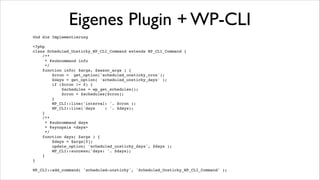
Eigenes Plugin + WP-CLI
Am Beispiel meines Plugins scheduled-unsticky ( http://wordpress.org/plugins/scheduled-unsticky/ )
demonstriere ich die Arbeiten um ein Plugin per WP-CLI steuerbar zu machen. 	

!
Abfragen des WP-CLI defines im Constructor und ggf laden einer Klasse die das CLI Interface
implementiert.	

!
if ( defined ( 'WP_CLI' ) && WP_CLI ) {!
require_once( __DIR__ . '/class-wp-cli-commands.php' );!
}
Eigenes Plugin + WP-CLI
Und die Implementierung!

!

<?php!
class Scheduled_Unsticky_WP_CLI_Command extends WP_CLI_Command {!
/**!
* @subcommand info!
*/
!
function info( $args, $assoc_args ) {!
$cron = get_option('scheduled_unsticky_cron');!
$days = get_option( 'scheduled_unsticky_days' );!
if ($cron != 0) {!
$schedules = wp_get_schedules();!
$cron = $schedules[$cron];!
}!
WP_CLI::line('interval: '. $cron );!
WP_CLI::line('days
: '. $days);!
}!
/**!
* @subcommand days !
* @synopsis <days>!
*/!
function days( $args ) {!
$days = $args[0];!
update_option( 'scheduled_unsticky_days', $days );!
WP_CLI::success('days: '. $days);!
}!
}!

!

WP_CLI::add_command( 'scheduled-unsticky', 'Scheduled_Unsticky_WP_CLI_Command' );!

!
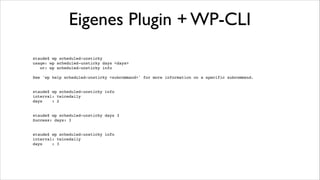
Eigenes Plugin + WP-CLI
staude$ wp scheduled-unsticky!
usage: wp scheduled-unsticky days <days>!
or: wp scheduled-unsticky info!

!

See 'wp help scheduled-unsticky <subcommand>' for more information on a specific subcommand.!

!
!

staude$ wp scheduled-unsticky info!
interval: twicedaily!
days
: 2!

!
!

staude$ wp scheduled-unsticky days 3!
Success: days: 3!

!
!

staude$ wp scheduled-unsticky info!
interval: twicedaily!
days
: 3!

!
!
Links
WP-CLI !
http://wp-cli.org/!

!

WP-CLI Wiki!
https://github.com/wp-cli/wp-cli/wiki!

!

WP-CLI Installation!
http://wp-cli.org/!

!

Alternative Installationsmöglichkeiten!
https://github.com/wp-cli/wp-cli/wiki/Alternative-Install-Methods!

!

Command Cookbook - für Implementierung eigener Erweiterungen!
https://github.com/wp-cli/wp-cli/wiki/Commands-Cookbook!

!

Scheduled Unsticky Plugin!
http://wordpress.org/plugins/scheduled-unsticky/!

WP-CLI - Das Kommandozeilen Interface für Wordpress

  • 1.
    WP-CLI - EinKommandozeilen Interface für WordPress 23.10.2013 Frank Staude <frank@staude.net>
  • 2.
    WP-CLI ? WP-CLI (WordPress - Command Line Interface) ist ein Programm, mit dem man Wordpress per Kommandozeile bedienen kann. ! Warum braucht man das? - Admins sind gewohnt mit der Tastatur zu arbeiten - Mit der Tastatur ist man in der Regel schneller als in einem Webinterface - Mit Kommandos kann man Aufgaben automatisieren
  • 3.
    Voraussetzungen Um WP-CLI zuinstallieren braucht es ein paar Dinge ! - Unix shell. ( OS X, Linux, Windows mit Cygwin) - PHP 5.3 oder neuer - php-cli im PHP aktiviert (php -v / phpinfo zum prüfen) - Git - Wordpress 3.4 oder neuer !
  • 4.
    Installation Ein Installationsscript kanndirekt von GitHub geladen und ausgeführt werden. ! curl https://raw.github.com/wp-cli/wp-cli.github.com/master/installer.sh | bash ! Das installiert WP-CLI im Verzeichnis .wp-cli im Benutzerverzeichnis. Damit es von überall gefunden wird, sollte man danach noch das bin Verzeichnis von wp-cli mit im Pfad seiner Shell aufnehmen. Eine Entsprechende Meldung gibt der Installer aus. ! MySQL muss im Pfad liegen, sonst scheitert wp core config ! Alternative Installationsmethoden: https://github.com/wp-cli/wp-cli/wiki/AlternativeInstall-Methods
  • 5.
    Erster Start Nun kannWP-CLI durch die Eingabe von wp aufgerufen werden. !
  • 6.
    Mehr Komfort WP-CLI bietetauch s.g. Tab completion, also die Funktionalität bei drücken der Tabulator Taste das Kommando zu vervollständigen oder (wenn nicht eindeutig) die Liste der Kommandos auszugeben. ! Dazu muss man seine .profile Datei ergänzen um ! source $HOME/.wp-cli/vendor/wp-cli/wp-cli/utils/wp-completion.bash ! !
  • 7.
  • 8.
  • 9.
  • 10.
  • 11.
  • 12.
  • 13.
  • 14.
  • 15.
  • 16.
  • 17.
  • 18.
  • 19.
  • 20.
  • 21.
  • 22.
  • 23.
  • 24.
  • 25.
  • 26.
  • 27.
  • 28.
  • 29.
  • 30.
  • 31.
  • 32.
  • 33.
  • 34.
  • 35.
    Beispiele: WP Version Entwederman wechselt in das Verzeichnis der jeweiligen Wordpress Installation ! staude$ cd Wordpress Dev/! staude$ wp core version! 3.6.1! ! oder man übergibt den Pfad mittels --path=‘pfad/zur/WP/Installation‘ ! staude$ wp core version --path='/Users/staude/ Projekte/Wordpress Dev'! 3.6.1!
  • 36.
    Beispiele: Plugins auflisten staude$wp plugin list! +-----------------------------------+----------+--------+---------+! | name | status | update | version |! +-----------------------------------+----------+--------+---------+! | akismet | inactive | none | 2.5.9 |! | backend-startpage-customizer | inactive | none | 0.2 |! | blog-description-randomizer | inactive | none | 0.1 |! | codestyling-localization | active | none | 1.99.30 |! | disable-author-pages | active | none | 0.2 |! | disable-title | active | none | 0.5 |! | downloads-per-page | active | none | 0.1 |! | google-analytics-dashboard-for-wp | active | none | 4.2.1 |! | mime-types-extended | active | none | 0.7 |! | my-own-plugins | inactive | none | 0.1 |! | post-author-filter | active | none | 0.1 |! | random-blog-description | inactive | none | 1.0 |! | scheduled-posts-dashboard-widget | active | none | 0.1 |! | scheduled-jobs-dashboard-widget | inactive | none | 0.2.2 |! | scheduled-unsticky | inactive | none | 0.2.2 |! | widget-or-sidebar-per-shortcode | inactive | none | 0.4 |! +-----------------------------------+----------+--------+---------+!
  • 37.
    Beispiele: Plugins suchen staude$wp plugin search hello-dolly! Success: Showing 10 of 20 plugins.! +-------------------------------+-------------------------------+--------+! | name | slug | rating |! +-------------------------------+-------------------------------+--------+! | Hello Dolly | hello-dolly | 67.4 |! | Hello Dolly For Your Song | hello-dolly-for-your-song | 0 |! | Hello Simpsons Chalkboard Gag | hello-simpsons-chalkboard-gag | 100 |! | Hello Kurt | hello-kurt | 0 |! | Fancy Dolly | fancy-plugin | 91.4 |! | Hello Darth | hello-darth | 100 |! | Hello Hollywood | hello-hollywood | 100 |! | Hello Ziggy | hello-ziggy | 0 |! | Hello HAL | hello-hal | 100 |! | Unwanted Plugins Remover | unwanted-plugins-remover | 100 |! +-------------------------------+-------------------------------+--------+!
  • 38.
    Beispiele: Plugin installieren staude$wp plugin install hello-dolly! Installing Hello Dolly (1.6)! Runterladen des Installationspakets von http://downloads.wordpress.org/plugin/hellodolly.1.6.zip...! Entpacken des Pakets...! Das Plugin wird installiert...! Das Plugin wurde erfolgreich installiert.!
  • 39.
    Beispiele: Plugin aktivieren staude$wp plugin activate hello-dolly! Success: Plugin 'hello-dolly' activated.! ! ! staude$ wp plugin deactivate hello-dolly! Success: Plugin 'hello-dolly' deactivated.!
  • 40.
    Beispiele: WP installieren Inein neues, leeres Verzeichnis gehen (oder --path überall angeben)! ! staude$ wp core download! Downloading latest WordPress (en_US)...! Success: WordPress downloaded.! ! staude$ wp core config --dbname=Datenbank --dbuser=Benutzer --dbpass=Kennwort! Success: Generated wp-config.php file.! ! staude$ wp core install --url=test.de --title=title --admin_user=adminBenutzer --admin_password=adminKennwort --admin_email=admin@domain.tld! Success: WordPress installed successfully.!
  • 41.
    Plugin + WP-CLI Pluginskönnen ebenfalls das WP-CLI Interface implementieren und können dann ebenfalls perKomandozeile bedient werden. Zum Beispiel das Plugin Developer ( http://wordpress.org/plugins/developer ). ! staude$ wp plugin install developer! Installing Developer (1.2.5)! Runterladen des Installationspakets von http://downloads.wordpress.org/plugin/ developer.1.2.5.zip...! Entpacken des Pakets...! Das Plugin wird installiert...! Das Plugin wurde erfolgreich installiert.! ! staude$ wp plugin activate developer! Success: Plugin 'developer' activated.! ! ! staude$ wp developer! usage: wp developer install-plugins --type=<type> [--activate]! ! See 'wp help developer <subcommand>' for more information on a specific subcommand.!
  • 42.
    Eigenes Plugin +WP-CLI Am Beispiel meines Plugins scheduled-unsticky ( http://wordpress.org/plugins/scheduled-unsticky/ ) demonstriere ich die Arbeiten um ein Plugin per WP-CLI steuerbar zu machen. ! Abfragen des WP-CLI defines im Constructor und ggf laden einer Klasse die das CLI Interface implementiert. ! if ( defined ( 'WP_CLI' ) && WP_CLI ) {! require_once( __DIR__ . '/class-wp-cli-commands.php' );! }
  • 43.
    Eigenes Plugin +WP-CLI Und die Implementierung! ! <?php! class Scheduled_Unsticky_WP_CLI_Command extends WP_CLI_Command {! /**! * @subcommand info! */ ! function info( $args, $assoc_args ) {! $cron = get_option('scheduled_unsticky_cron');! $days = get_option( 'scheduled_unsticky_days' );! if ($cron != 0) {! $schedules = wp_get_schedules();! $cron = $schedules[$cron];! }! WP_CLI::line('interval: '. $cron );! WP_CLI::line('days : '. $days);! }! /**! * @subcommand days ! * @synopsis <days>! */! function days( $args ) {! $days = $args[0];! update_option( 'scheduled_unsticky_days', $days );! WP_CLI::success('days: '. $days);! }! }! ! WP_CLI::add_command( 'scheduled-unsticky', 'Scheduled_Unsticky_WP_CLI_Command' );! !
  • 44.
    Eigenes Plugin +WP-CLI staude$ wp scheduled-unsticky! usage: wp scheduled-unsticky days <days>! or: wp scheduled-unsticky info! ! See 'wp help scheduled-unsticky <subcommand>' for more information on a specific subcommand.! ! ! staude$ wp scheduled-unsticky info! interval: twicedaily! days : 2! ! ! staude$ wp scheduled-unsticky days 3! Success: days: 3! ! ! staude$ wp scheduled-unsticky info! interval: twicedaily! days : 3! ! !
  • 45.
    Links WP-CLI ! http://wp-cli.org/! ! WP-CLI Wiki! https://github.com/wp-cli/wp-cli/wiki! ! WP-CLIInstallation! http://wp-cli.org/! ! Alternative Installationsmöglichkeiten! https://github.com/wp-cli/wp-cli/wiki/Alternative-Install-Methods! ! Command Cookbook - für Implementierung eigener Erweiterungen! https://github.com/wp-cli/wp-cli/wiki/Commands-Cookbook! ! Scheduled Unsticky Plugin! http://wordpress.org/plugins/scheduled-unsticky/!