Markus Kopf | arconsis IT-Solutions
Carsten Bokeloh | itemis

  CI & Android Entwicklung
        Wie geht das?
Agenda
• Motivation
• Wieso CI?
• Typisches CI-System
• Demo
• Best Practices
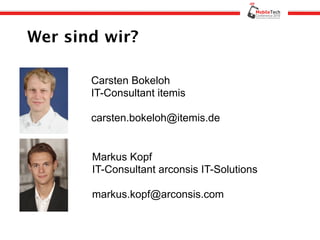
Wer sind wir?

       Carsten Bokeloh
       IT-Consultant itemis

       carsten.bokeloh@itemis.de


       Markus Kopf
       IT-Consultant arconsis IT-Solutions

       markus.kopf@arconsis.com
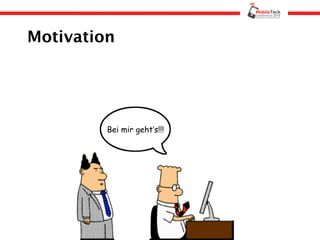
Motivation


         Bei mir geht’s!!!
Was ist CI?

    Continuous Integration ist ein
     Prozess der das regelmäßige,
 vollständige Bauen und Testen einer
        Anwendung beschreibt
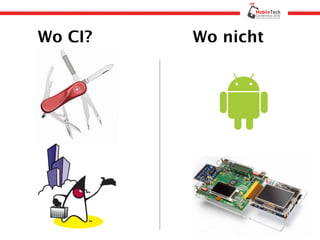
Wo CI?   Wo nicht
Benefits aus Entwicklersicht
• Verfügbares Produkt
• Integrationsaufwand
• Code Qualität
• Transparenz
• Automatisierter Release
Benefits aus Managersicht
• Verfügbares Produkt
• Kontinuierliche Qualitätskontrolle
• Reduzierung des Projektrisikos
• Bus Faktor
• Transparenz
• Roadmap Planung
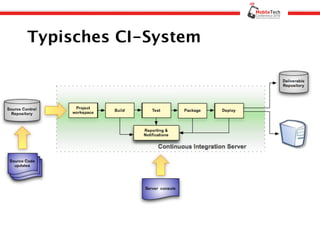
Typisches CI-System
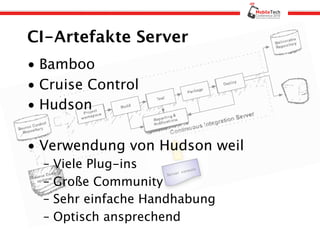
CI-Artefakte Server
• Bamboo
• Cruise Control
• Hudson

• Verwendung von Hudson weil
  –   Viele Plug-ins
  –   Große Community
  –   Sehr einfache Handhabung
  –   Optisch ansprechend
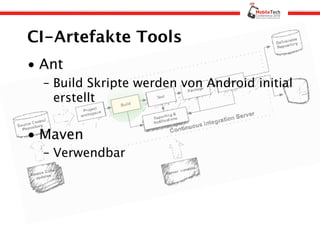
CI-Artefakte Tools
• Ant
  – Build Skripte werden von Android initial
    erstellt


• Maven
  – Verwendbar
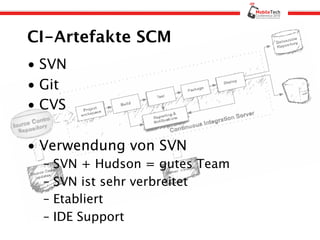
CI-Artefakte SCM
• SVN
• Git
• CVS

• Verwendung von SVN
  –   SVN + Hudson = gutes Team
  –   SVN ist sehr verbreitet
  –   Etabliert
  –   IDE Support
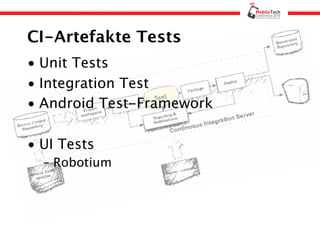
CI-Artefakte Tests
• Unit Tests
• Integration Test
• Android Test-Framework

• UI Tests
  – Robotium
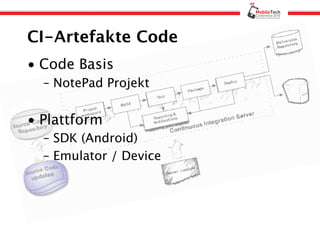
CI-Artefakte Code
• Code Basis
  – NotePad Projekt


• Plattform
  – SDK (Android)
  – Emulator / Device
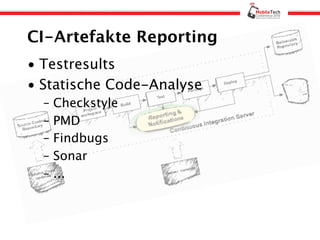
CI-Artefakte Reporting
• Testresults
• Statische Code-Analyse
  –   Checkstyle
  –   PMD
  –   Findbugs
  –   Sonar
  –   ...
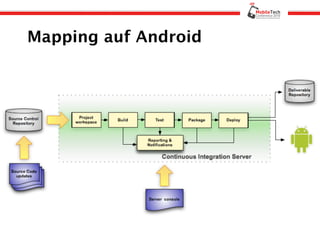
Mapping auf Android
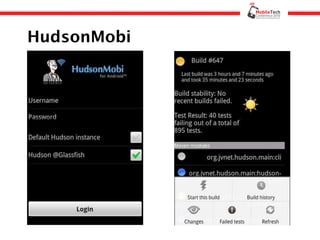
HudsonMobi
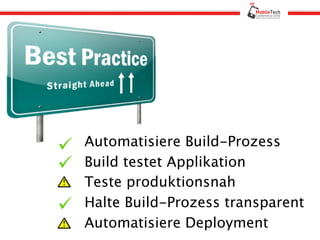
Automatisiere Build-Prozess
Build testet Applikation
Teste produktionsnah
Halte Build-Prozess transparent
Automatisiere Deployment
Nutze Metriken
Kurze Builds
– Commit Build
– Nightly Build
– Integration Build
Fazit
• CI auch für Android
• Build-Prozess leicht aufsetzbar
• Erfahrungswerte aus der JEE-Welt
  vorhanden

• ABER:
  – Kein produktionsnahes Testen
  – Kein automatisches “Deployment”
Links
•   Hudson (http://hudson-ci.org/)
•   Cruise Control (http://cruisecontrol.sourceforge.net/)
•   Bamboo (http://www.atlassian.com/software/bamboo/)
•   Sonar (http://www.sonarsource.org/)
•   HudsonMobi (http://hudson-mobi.com/)
•   Robotium (http://code.google.com/p/robotium/)
•   Android Testing (http://developer.android.com/guide/topics/testing/
    testing_android.html)
•   Pmd (http://pmd.sourceforge.net/)
•   Checkstyle (http://checkstyle.sourceforge.net/)
•   Findbugs (http://findbugs.sourceforge.net/)
•   Eclipse (http://eclipse.org/)
•   Ant (http://ant.apache.org/)
CI und Android - Wie geht das? MTC2010

CI und Android - Wie geht das? MTC2010

  • 1.
    Markus Kopf |arconsis IT-Solutions Carsten Bokeloh | itemis CI & Android Entwicklung Wie geht das?
  • 2.
    Agenda • Motivation • WiesoCI? • Typisches CI-System • Demo • Best Practices
  • 3.
    Wer sind wir? Carsten Bokeloh IT-Consultant itemis carsten.bokeloh@itemis.de Markus Kopf IT-Consultant arconsis IT-Solutions markus.kopf@arconsis.com
  • 4.
    Motivation Bei mir geht’s!!!
  • 5.
    Was ist CI? Continuous Integration ist ein Prozess der das regelmäßige, vollständige Bauen und Testen einer Anwendung beschreibt
  • 6.
    Wo CI? Wo nicht
  • 7.
    Benefits aus Entwicklersicht •Verfügbares Produkt • Integrationsaufwand • Code Qualität • Transparenz • Automatisierter Release
  • 8.
    Benefits aus Managersicht •Verfügbares Produkt • Kontinuierliche Qualitätskontrolle • Reduzierung des Projektrisikos • Bus Faktor • Transparenz • Roadmap Planung
  • 9.
  • 10.
    CI-Artefakte Server • Bamboo •Cruise Control • Hudson • Verwendung von Hudson weil – Viele Plug-ins – Große Community – Sehr einfache Handhabung – Optisch ansprechend
  • 11.
    CI-Artefakte Tools • Ant – Build Skripte werden von Android initial erstellt • Maven – Verwendbar
  • 12.
    CI-Artefakte SCM • SVN •Git • CVS • Verwendung von SVN – SVN + Hudson = gutes Team – SVN ist sehr verbreitet – Etabliert – IDE Support
  • 13.
    CI-Artefakte Tests • UnitTests • Integration Test • Android Test-Framework • UI Tests – Robotium
  • 14.
    CI-Artefakte Code • CodeBasis – NotePad Projekt • Plattform – SDK (Android) – Emulator / Device
  • 15.
    CI-Artefakte Reporting • Testresults •Statische Code-Analyse – Checkstyle – PMD – Findbugs – Sonar – ...
  • 16.
  • 18.
  • 19.
    Automatisiere Build-Prozess Build testetApplikation Teste produktionsnah Halte Build-Prozess transparent Automatisiere Deployment
  • 20.
    Nutze Metriken Kurze Builds –Commit Build – Nightly Build – Integration Build
  • 21.
    Fazit • CI auchfür Android • Build-Prozess leicht aufsetzbar • Erfahrungswerte aus der JEE-Welt vorhanden • ABER: – Kein produktionsnahes Testen – Kein automatisches “Deployment”
  • 22.
    Links • Hudson (http://hudson-ci.org/) • Cruise Control (http://cruisecontrol.sourceforge.net/) • Bamboo (http://www.atlassian.com/software/bamboo/) • Sonar (http://www.sonarsource.org/) • HudsonMobi (http://hudson-mobi.com/) • Robotium (http://code.google.com/p/robotium/) • Android Testing (http://developer.android.com/guide/topics/testing/ testing_android.html) • Pmd (http://pmd.sourceforge.net/) • Checkstyle (http://checkstyle.sourceforge.net/) • Findbugs (http://findbugs.sourceforge.net/) • Eclipse (http://eclipse.org/) • Ant (http://ant.apache.org/)

Hinweis der Redaktion

  • #7 Wieso nicht CI Hardwarekosten Installationsaufwand Mobile Applikationen Kurze Lebensdauer Keine Produktlinie
  • #14 Monkeytests - Test-Framework - Unit- + Integrationstest Man muss nicht alles Mocken sondern bekommt das frei Haus
  • #15 Wenn man an Android Komponenten etwas erweitert oder andere Komponenten welche nicht im SDK liegen benutzt sollten diese auch mit in den CI Prozess eingebunden werden.
  • #20 Problem weil nur Emulator Tests