HTML5


            W3C-Tag 2009
              Felix Sasaki
FH-Potsdam / W3C deutsch-österr. Büro
     felix.sasaki@fh-potsdam.de
Hinweis – "Teaching the Web" Event
15.10.2009, FH Potsdam
Homepage http://www.w3c.de/Events/2009/office-opening
Agenda
http://www.w3c.de/Events/2009/teaching-web-flyer.pdf
Registrierung
http://www.w3c.de/Events/2009/office-opening-registration.de.php
Beispieldateien unter
http://www.w3c.de/Events/2009/w3ctag09-html5/
    HTML5-Beispiele getestet mit Firefox 3.5.3
Geschichte
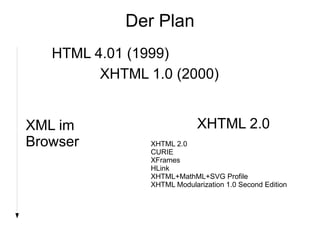
Der Plan

   HTML 4.01 (1999)
         XHTML 1.0 (2000)


XML im                       XHTML 2.0
Browser         XHTML 2.0
                CURIE
                XFrames
                HLink
                XHTML+MathML+SVG Profile
                XHTML Modularization 1.0 Second Edition
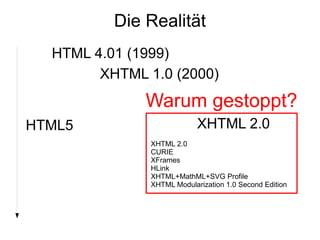
Die Realität
  HTML 4.01 (1999)
        XHTML 1.0 (2000)
              Warum gestoppt?
HTML5                       XHTML 2.0
               XHTML 2.0
               CURIE
               XFrames
               HLink
               XHTML+MathML+SVG Profile
               XHTML Modularization 1.0 Second Edition
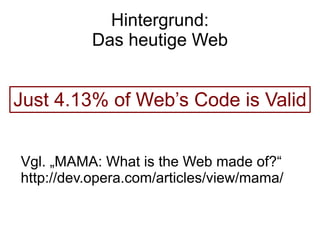
Hintergrund:
          Das heutige Web


Just 4.13% of Web’s Code is Valid


Vgl. „MAMA: What is the Web made of?“
http://dev.opera.com/articles/view/mama/
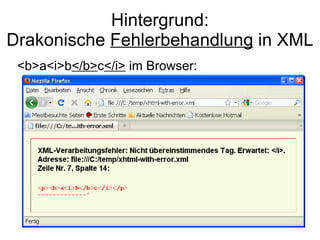
Hintergrund:
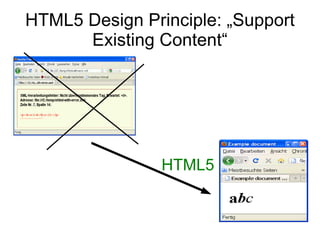
Drakonische Fehlerbehandlung in XML
 <b>a<i>b</b>c</i> im Browser:
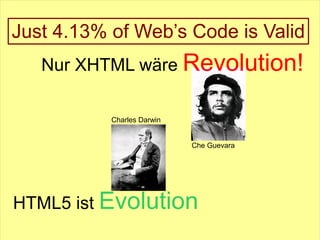
Just 4.13% of Web’s Code is Valid
   Nur XHTML wäre Revolution!

           Charles Darwin


                            Che Guevara


HTML5 ist Evolution
Geschichte
HTML5 Design Prinzipien
http://www.w3.org/TR/html-design-principles/
HTML5 Design Principle: „Support
      Existing Content“


                HTML5
HTML5 Design Principle: „Degrade
         gracefully“


<canvas ...>
<p>Sorry, but your browser does not
support canvas :( </p>
</canvas>
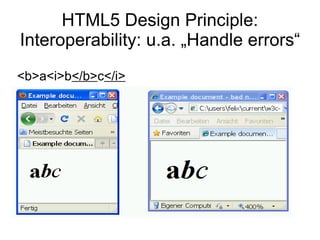
HTML5 Design Principle:
Interoperability: u.a. „Handle errors“
<b>a<i>b</b>c</i>
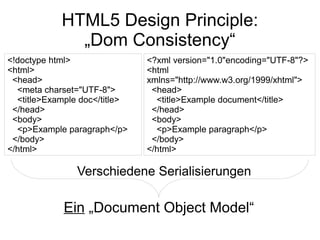
HTML5 Design Principle:
              „Dom Consistency“
<!doctype html>                <?xml version="1.0"encoding="UTF-8"?>
<html>                         <html
 <head>                        xmlns="http://www.w3.org/1999/xhtml">
  <meta charset="UTF-8">        <head>
  <title>Example doc</title>     <title>Example document</title>
 </head>                        </head>
 <body>                         <body>
  <p>Example paragraph</p>       <p>Example paragraph</p>
 </body>                        </body>
</html>                        </html>

                Verschiedene Serialisierungen

             Ein „Document Object Model“
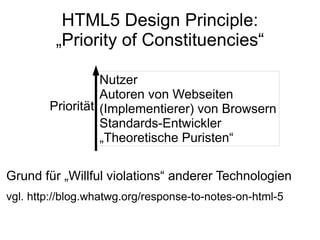
HTML5 Design Principle:
         „Priority of Constituencies“

                  Nutzer
                  Autoren von Webseiten
        Priorität (Implementierer) von Browsern
                  Standards-Entwickler
                  „Theoretische Puristen“

Grund für „Willful violations“ anderer Technologien
vgl. http://blog.whatwg.org/response-to-notes-on-html-5
Geschichte
HTML5 Design Prinzipien
HTML5 in a Nutshell
HTML5
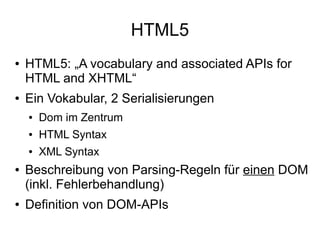
●   HTML5: „A vocabulary and associated APIs for
    HTML and XHTML“
●   Ein Vokabular, 2 Serialisierungen
    ●   Dom im Zentrum
    ●   HTML Syntax
    ●   XML Syntax
●   Beschreibung von Parsing-Regeln für einen DOM
    (inkl. Fehlerbehandlung)
●   Definition von DOM-APIs
HTML5 Serialisierungen: HTML vs. XML
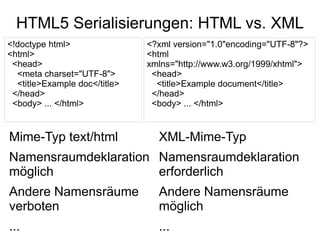
<!doctype html>                <?xml version="1.0"encoding="UTF-8"?>
<html>                         <html
 <head>                        xmlns="http://www.w3.org/1999/xhtml">
  <meta charset="UTF-8">        <head>
  <title>Example doc</title>     <title>Example document</title>
 </head>                        </head>
 <body> ... </html>             <body> ... </html>


Mime-Typ text/html               XML-Mime-Typ
Namensraumdeklaration Namensraumdeklaration
möglich               erforderlich
Andere Namensräume               Andere Namensräume
verboten                         möglich
...                              ...
Auszug: Syntaxvarianten und
          Fehlerbehandlung
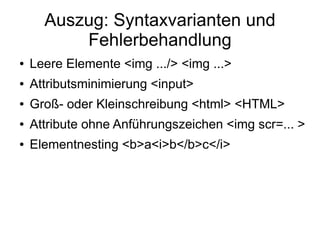
●   Leere Elemente <img .../> <img ...>
●   Attributsminimierung <input>
●   Groß- oder Kleinschreibung <html> <HTML>
●   Attribute ohne Anführungszeichen <img scr=... >
●   Elementnesting <b>a<i>b</b>c</i>
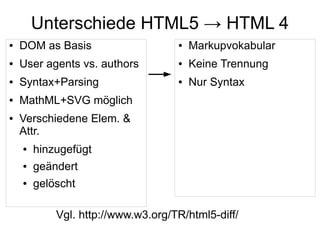
Unterschiede HTML5 → HTML 4
●   DOM as Basis                    ●   Markupvokabular
●   User agents vs. authors         ●   Keine Trennung
●   Syntax+Parsing                  ●   Nur Syntax
●   MathML+SVG möglich
●   Verschiedene Elem. &
    Attr.
    ●   hinzugefügt
    ●   geändert
    ●   gelöscht

            Vgl. http://www.w3.org/TR/html5-diff/
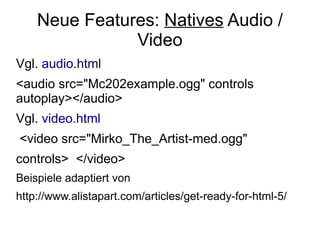
Neue Features: Natives Audio /
               Video
Vgl. audio.html
<audio src="Mc202example.ogg" controls
autoplay></audio>
Vgl. video.html
<video src="Mirko_The_Artist-med.ogg"
controls> </video>
Beispiele adaptiert von
http://www.alistapart.com/articles/get-ready-for-html-5/
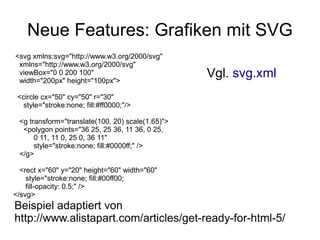
Neue Features: Grafiken mit SVG
<svg xmlns:svg="http://www.w3.org/2000/svg"
 xmlns="http://www.w3.org/2000/svg"
 viewBox="0 0 200 100"
 width="200px" height="100px">
                                                  Vgl. svg.xml
 <circle cx="50" cy="50" r="30"
   style="stroke:none; fill:#ff0000;"/>

 <g transform="translate(100, 20) scale(1.65)">
  <polygon points="36 25, 25 36, 11 36, 0 25,
      0 11, 11 0, 25 0, 36 11"
      style="stroke:none; fill:#0000ff;" />
 </g>

  <rect x="60" y="20" height="60" width="60"
    style="stroke:none; fill:#00ff00;
    fill-opacity: 0.5;" />
</svg>
Beispiel adaptiert von
http://www.alistapart.com/articles/get-ready-for-html-5/
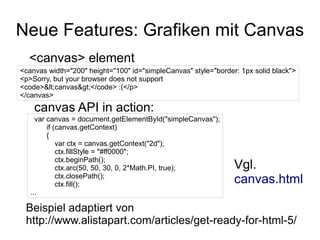
Neue Features: Grafiken mit Canvas
  <canvas> element
<canvas width="200" height="100" id="simpleCanvas" style="border: 1px solid black">
<p>Sorry, but your browser does not support
<code>&lt;canvas&gt;</code> :(</p>
</canvas>
    canvas API in action:
     var canvas = document.getElementById("simpleCanvas");
         if (canvas.getContext)
         {
             var ctx = canvas.getContext("2d");
             ctx.fillStyle = "#ff0000";
             ctx.beginPath();
             ctx.arc(50, 50, 30, 0, 2*Math.PI, true);           Vgl.
             ctx.closePath();
             ctx.fill();                                        canvas.html
   ...

 Beispiel adaptiert von
 http://www.alistapart.com/articles/get-ready-for-html-5/
Neue Elemente
●   section
●   article
●   aside
●   hgroup
●   header
●   footer
●   nav
●   dialog
●   ...
Neue Attribute
●   Beispiele
    ●   charset am <meta> Element
    ●   pattern am <input> Element
●   ARIA: Basis für Barrierefreiheit
    ●   ARIA role
    ●   ARIA aria-* Attribute
Neue APIs
●   2D drawing API für <canvas>
●   APIs für <video> und <audio>
●   Drag & drop API und draggable Attribut
●   API zum Zugriff auf Browserverlauf
●   Geolocation API (nicht in HTML5 selbst
    definiert)
●   ...
Geschichte
HTML5 Design Prinzipien
HTML5 in a Nutshell
Das Web der ...
HTML5: Das Web der Menschen ...
... und das Web der Daten?
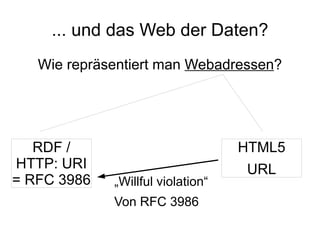
   Wie repräsentiert man Webadressen?


   RDF /                           HTML5
HTTP: URI                          URL
= RFC 3986   „Willful violation“
             Von RFC 3986
... und das Web der Daten?
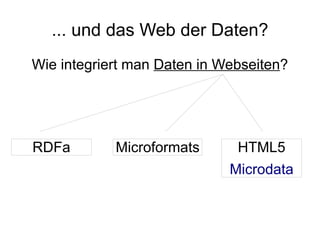
Wie integriert man Daten in Webseiten?


RDFa        Microformats      HTML5
                             Microdata
... und das Web der Daten?
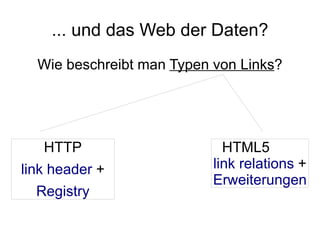
  Wie beschreibt man Typen von Links?


   HTTP                      HTML5
link header +              link relations +
                           Erweiterungen
  Registry
... und das Web der Daten?
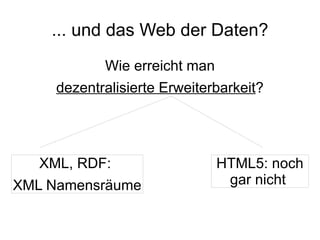
            Wie erreicht man
     dezentralisierte Erweiterbarkeit?


   XML, RDF:                   HTML5: noch
XML Namensräume                 gar nicht
Vom Web der Menschen zum
     Web der Daten:
   Aufgaben der Zukunft

  Eine Form von Webadressen
    Einheitliche Microsyntax
    Gemeinsame Linktypen
 Dezentralisierte Erweiterbarkeit
Geschichte
HTML5 Design Prinzipien
HTML5 in a Nutshell
Das Web der ...
Referenzen
Verschiedene Lesergruppen
●   Implementer
    ●   HTML5 Spezifikation http://www.w3.org/TR/html5/
    ●   Design Prinzipien http://www.w3.org/TR/html-design-
        principles/
●   Alle:
    ●   Unterschiede zu HTML4
        http://www.w3.org/TR/html5-diff/
    ●   Unterschiede zu XHTML 1.0
        http://wiki.whatwg.org/wiki/HTML_vs._XHTML
        http://meiert.com/de/publications/translations/whatwg.or
        g/html-vs-xhtml/ (deutsche Version)
HTML5: Was soll man lesen?
●   Dokumentautoren – noch wenig
    http://diveintohtml5.org/ von Mark Pilgrim
●   Was kann mein Browser? Tests unter
    http://diveintohtml5.org/detect.htm
●   Validieren mit
    http://about.validator.nu/htmlparser/ , Teil des
    W3C-Validators. Beispiel:
    http://tinyurl.com/obw875
Vielen Dank für Ihre Aufmerksamkeit!

HTML5 - presentation at W3C-Tag 2009

  • 1.
    HTML5 W3C-Tag 2009 Felix Sasaki FH-Potsdam / W3C deutsch-österr. Büro felix.sasaki@fh-potsdam.de
  • 2.
    Hinweis – "Teachingthe Web" Event 15.10.2009, FH Potsdam Homepage http://www.w3c.de/Events/2009/office-opening Agenda http://www.w3c.de/Events/2009/teaching-web-flyer.pdf Registrierung http://www.w3c.de/Events/2009/office-opening-registration.de.php
  • 3.
  • 4.
  • 5.
    Der Plan HTML 4.01 (1999) XHTML 1.0 (2000) XML im XHTML 2.0 Browser XHTML 2.0 CURIE XFrames HLink XHTML+MathML+SVG Profile XHTML Modularization 1.0 Second Edition
  • 6.
    Die Realität HTML 4.01 (1999) XHTML 1.0 (2000) Warum gestoppt? HTML5 XHTML 2.0 XHTML 2.0 CURIE XFrames HLink XHTML+MathML+SVG Profile XHTML Modularization 1.0 Second Edition
  • 7.
    Hintergrund: Das heutige Web Just 4.13% of Web’s Code is Valid Vgl. „MAMA: What is the Web made of?“ http://dev.opera.com/articles/view/mama/
  • 8.
    Hintergrund: Drakonische Fehlerbehandlung inXML <b>a<i>b</b>c</i> im Browser:
  • 9.
    Just 4.13% ofWeb’s Code is Valid
  • 10.
    Just 4.13% ofWeb’s Code is Valid Nur XHTML wäre Revolution! Charles Darwin Che Guevara HTML5 ist Evolution
  • 11.
  • 12.
    HTML5 Design Principle:„Support Existing Content“ HTML5
  • 13.
    HTML5 Design Principle:„Degrade gracefully“ <canvas ...> <p>Sorry, but your browser does not support canvas :( </p> </canvas>
  • 14.
    HTML5 Design Principle: Interoperability:u.a. „Handle errors“ <b>a<i>b</b>c</i>
  • 15.
    HTML5 Design Principle: „Dom Consistency“ <!doctype html> <?xml version="1.0"encoding="UTF-8"?> <html> <html <head> xmlns="http://www.w3.org/1999/xhtml"> <meta charset="UTF-8"> <head> <title>Example doc</title> <title>Example document</title> </head> </head> <body> <body> <p>Example paragraph</p> <p>Example paragraph</p> </body> </body> </html> </html> Verschiedene Serialisierungen Ein „Document Object Model“
  • 16.
    HTML5 Design Principle: „Priority of Constituencies“ Nutzer Autoren von Webseiten Priorität (Implementierer) von Browsern Standards-Entwickler „Theoretische Puristen“ Grund für „Willful violations“ anderer Technologien vgl. http://blog.whatwg.org/response-to-notes-on-html-5
  • 17.
  • 18.
    HTML5 ● HTML5: „A vocabulary and associated APIs for HTML and XHTML“ ● Ein Vokabular, 2 Serialisierungen ● Dom im Zentrum ● HTML Syntax ● XML Syntax ● Beschreibung von Parsing-Regeln für einen DOM (inkl. Fehlerbehandlung) ● Definition von DOM-APIs
  • 19.
    HTML5 Serialisierungen: HTMLvs. XML <!doctype html> <?xml version="1.0"encoding="UTF-8"?> <html> <html <head> xmlns="http://www.w3.org/1999/xhtml"> <meta charset="UTF-8"> <head> <title>Example doc</title> <title>Example document</title> </head> </head> <body> ... </html> <body> ... </html> Mime-Typ text/html XML-Mime-Typ Namensraumdeklaration Namensraumdeklaration möglich erforderlich Andere Namensräume Andere Namensräume verboten möglich ... ...
  • 20.
    Auszug: Syntaxvarianten und Fehlerbehandlung ● Leere Elemente <img .../> <img ...> ● Attributsminimierung <input> ● Groß- oder Kleinschreibung <html> <HTML> ● Attribute ohne Anführungszeichen <img scr=... > ● Elementnesting <b>a<i>b</b>c</i>
  • 21.
    Unterschiede HTML5 →HTML 4 ● DOM as Basis ● Markupvokabular ● User agents vs. authors ● Keine Trennung ● Syntax+Parsing ● Nur Syntax ● MathML+SVG möglich ● Verschiedene Elem. & Attr. ● hinzugefügt ● geändert ● gelöscht Vgl. http://www.w3.org/TR/html5-diff/
  • 22.
    Neue Features: NativesAudio / Video Vgl. audio.html <audio src="Mc202example.ogg" controls autoplay></audio> Vgl. video.html <video src="Mirko_The_Artist-med.ogg" controls> </video> Beispiele adaptiert von http://www.alistapart.com/articles/get-ready-for-html-5/
  • 23.
    Neue Features: Grafikenmit SVG <svg xmlns:svg="http://www.w3.org/2000/svg" xmlns="http://www.w3.org/2000/svg" viewBox="0 0 200 100" width="200px" height="100px"> Vgl. svg.xml <circle cx="50" cy="50" r="30" style="stroke:none; fill:#ff0000;"/> <g transform="translate(100, 20) scale(1.65)"> <polygon points="36 25, 25 36, 11 36, 0 25, 0 11, 11 0, 25 0, 36 11" style="stroke:none; fill:#0000ff;" /> </g> <rect x="60" y="20" height="60" width="60" style="stroke:none; fill:#00ff00; fill-opacity: 0.5;" /> </svg> Beispiel adaptiert von http://www.alistapart.com/articles/get-ready-for-html-5/
  • 24.
    Neue Features: Grafikenmit Canvas <canvas> element <canvas width="200" height="100" id="simpleCanvas" style="border: 1px solid black"> <p>Sorry, but your browser does not support <code>&lt;canvas&gt;</code> :(</p> </canvas> canvas API in action: var canvas = document.getElementById("simpleCanvas"); if (canvas.getContext) { var ctx = canvas.getContext("2d"); ctx.fillStyle = "#ff0000"; ctx.beginPath(); ctx.arc(50, 50, 30, 0, 2*Math.PI, true); Vgl. ctx.closePath(); ctx.fill(); canvas.html ... Beispiel adaptiert von http://www.alistapart.com/articles/get-ready-for-html-5/
  • 25.
    Neue Elemente ● section ● article ● aside ● hgroup ● header ● footer ● nav ● dialog ● ...
  • 26.
    Neue Attribute ● Beispiele ● charset am <meta> Element ● pattern am <input> Element ● ARIA: Basis für Barrierefreiheit ● ARIA role ● ARIA aria-* Attribute
  • 27.
    Neue APIs ● 2D drawing API für <canvas> ● APIs für <video> und <audio> ● Drag & drop API und draggable Attribut ● API zum Zugriff auf Browserverlauf ● Geolocation API (nicht in HTML5 selbst definiert) ● ...
  • 28.
    Geschichte HTML5 Design Prinzipien HTML5in a Nutshell Das Web der ...
  • 29.
    HTML5: Das Webder Menschen ...
  • 30.
    ... und dasWeb der Daten? Wie repräsentiert man Webadressen? RDF / HTML5 HTTP: URI URL = RFC 3986 „Willful violation“ Von RFC 3986
  • 31.
    ... und dasWeb der Daten? Wie integriert man Daten in Webseiten? RDFa Microformats HTML5 Microdata
  • 32.
    ... und dasWeb der Daten? Wie beschreibt man Typen von Links? HTTP HTML5 link header + link relations + Erweiterungen Registry
  • 33.
    ... und dasWeb der Daten? Wie erreicht man dezentralisierte Erweiterbarkeit? XML, RDF: HTML5: noch XML Namensräume gar nicht
  • 34.
    Vom Web derMenschen zum Web der Daten: Aufgaben der Zukunft Eine Form von Webadressen Einheitliche Microsyntax Gemeinsame Linktypen Dezentralisierte Erweiterbarkeit
  • 35.
    Geschichte HTML5 Design Prinzipien HTML5in a Nutshell Das Web der ... Referenzen
  • 36.
    Verschiedene Lesergruppen ● Implementer ● HTML5 Spezifikation http://www.w3.org/TR/html5/ ● Design Prinzipien http://www.w3.org/TR/html-design- principles/ ● Alle: ● Unterschiede zu HTML4 http://www.w3.org/TR/html5-diff/ ● Unterschiede zu XHTML 1.0 http://wiki.whatwg.org/wiki/HTML_vs._XHTML http://meiert.com/de/publications/translations/whatwg.or g/html-vs-xhtml/ (deutsche Version)
  • 37.
    HTML5: Was sollman lesen? ● Dokumentautoren – noch wenig http://diveintohtml5.org/ von Mark Pilgrim ● Was kann mein Browser? Tests unter http://diveintohtml5.org/detect.htm ● Validieren mit http://about.validator.nu/htmlparser/ , Teil des W3C-Validators. Beispiel: http://tinyurl.com/obw875
  • 38.
    Vielen Dank fürIhre Aufmerksamkeit!