Design, Entwicklung und Tests
Daniel Fisher(lennybacon)
newtelligence AG
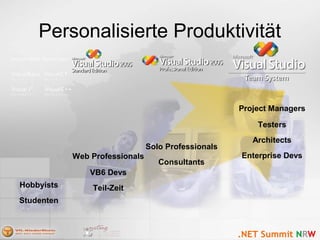
Personalisierte Produktivität
Studenten
Hobbyists
Consultants
Solo Professionals
Enterprise Devs
Architects
Testers
Project Managers
Teil-Zeit
VB6 Devs
Web Professionals
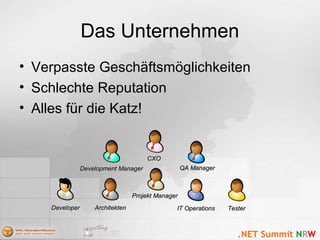
Das Unternehmen
• Verpasste Geschäftsmöglichkeiten
• Schlechte Reputation
• Alles für die Katz!
DeveloperDeveloper ArchitektenArchitekten IT OperationsIT Operations TesterTester
QA ManagerQA ManagerDevelopment ManagerDevelopment Manager
CXOCXO
Projekt ManagerProjekt Manager
Das Projekt Management
• Lücken in der
Kommunikation
• Team ist „disconnected“
• Tracking, nicht
Managing
• Prozess-Änderungen
sind schlecht bis
garnicht möglich
Projekt ManagerProjekt Manager
Die Architekten
• Developer arbeiten nicht mit
“architectural guidelines”
• Deployment Probleme
werden zu späht bedacht
• Modeling Tools nicht Ideal
– Positiv: Gut zur
Dokumentation
– Negativ: round-tripping, Gut
zur planung aber nicht zur
Entwicklung von
Softwaresystemen
ArchitektenArchitekten
InfrastrukturInfrastruktur
ArchitektenArchitekten
Die Entwickler
• Verschiedene Tools für
verschiedene Aufgaben
• Wissen verteilen ist

schwer
– Best practices
– Häufige Fehler
• Security
VS05 Pro usersVS05 Pro users
ISVsISVs
Web developersWeb developers
VB6 usersVB6 users
VSEA 2003 usersVSEA 2003 users
Die Tester
• Keine Built-in Test-Tools
in Visual Studio
• Test sind oft nicht Teil
des Projekt-Lifecycle
• Kein integriertes
Reporting/Tracking:
– “Hab ich das schon …?”
– “Haben wir weniger Bugs
als Gestern?”
VS05 Pro usersVS05 Pro users
ISVsISVs
Web developersWeb developers
VB6 usersVB6 users
TestersTesters
VSEA 2003 usersVSEA 2003 users
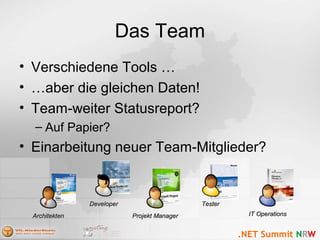
Das Team
• Verschiedene Tools …
• …aber die gleichen Daten!
• Team-weiter Statusreport?
– Auf Papier?
• Einarbeitung neuer Team-Mitglieder?
IT OperationsIT Operations
DeveloperDeveloper
Projekt ManagerProjekt ManagerArchitektenArchitekten
TesterTester
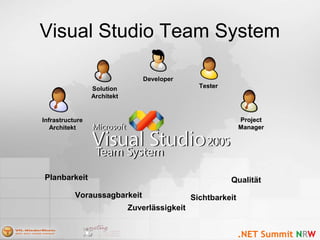
Visual Studio Team System
Voraussagbarkeit
Zuverlässigkeit
Qualität
Sichtbarkeit
Planbarkeit
Solution
Architekt
ProjectProject
ManagerManager
TesterTester
DeveloperDeveloper
Infrastructure
Architekt
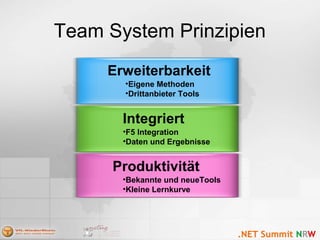
Team System Prinzipien
Produktivität
•Bekannte und neueTools
•Kleine Lernkurve
Integriert
•F5 Integration
•Daten und Ergebnisse
Erweiterbarkeit
•Eigene Methoden
•Drittanbieter Tools
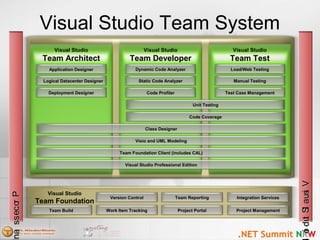
Visual Studio Team System
Version Control
Work Item Tracking
Team Reporting
Project Portal
Visual Studio
Team Foundation
Integration Services
Project Management
ProcessanProcessan
Dynamic Code Analyzer
Visual Studio
Team Architect
Static Code Analyzer
Code Profiler
Unit Testing
Code Coverage
Visio and UML Modeling
Team Foundation Client (includes CAL)
Visual Studio Professional Edition
Load/Web Testing
Manual Testing
Test Case Management
Application Designer
Logical Datacenter Designer
Deployment Designer
Visual Studio
Team Developer
Visual Studio
Team Test
VisualStudioVisualStudio
Team Build
Class Designer
Team Foundation
Team Foundation
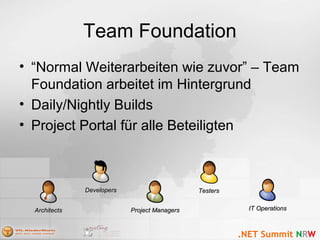
• “Normal Weiterarbeiten wie zuvor” – Team
Foundation arbeitet im Hintergrund
• Daily/Nightly Builds
• Project Portal für alle Beteiligten
DevelopersDevelopers
ArchitectsArchitects Project ManagersProject Managers IT OperationsIT Operations
TestersTesters
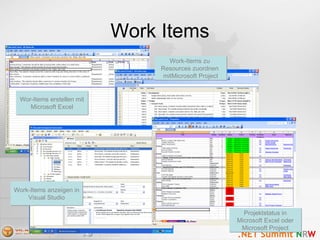
Work Items
Wor-Items erstellen mit
Microsoft Excel
Wor-Items erstellen mit
Microsoft Excel
Work-Items anzeigen in
Visual Studio
Work-Items anzeigen in
Visual Studio
Work-Items zu
Resources zuordnen
mitMicrosoft Project
Work-Items zu
Resources zuordnen
mitMicrosoft Project
Projektstatus in
Microsoft Excel oder
Microsoft Project
Projektstatus in
Microsoft Excel oder
Microsoft Project
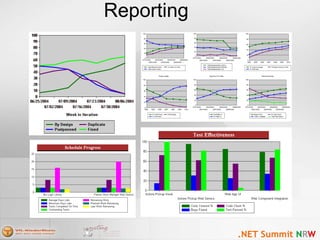
Reporting
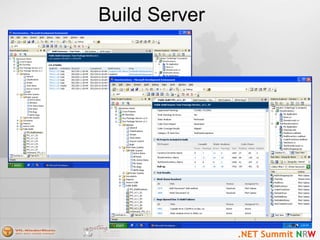
Build Server
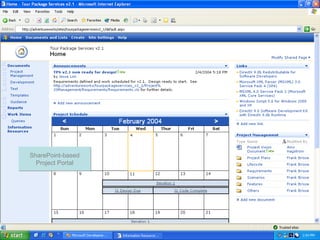
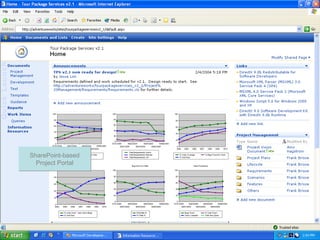
Project Portal
SharePoint-based
Project Portal
SharePoint-based
Project Portal
Project Portal
SharePoint-based
Project Portal
SharePoint-based
Project Portal
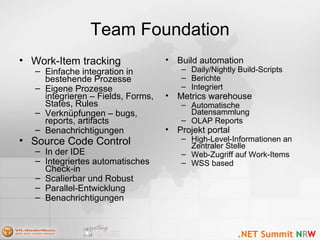
Team Foundation
• Work-Item tracking
– Einfache integration in
bestehende Prozesse
– Eigene Prozesse
integrieren – Fields, Forms,
States, Rules
– Verknüpfungen – bugs,
reports, artifacts
– Benachrichtigungen
• Source Code Control
– In der IDE
– Integriertes automatisches
Check-in
– Scalierbar und Robust
– Parallel-Entwicklung
– Benachrichtigungen
• Build automation
– Daily/Nightly Build-Scripts
– Berichte
– Integriert
• Metrics warehouse
– Automatische
Datensammlung
– OLAP Reports
• Projekt portal
– High-Level-Informationen an
Zentraler Stelle
– Web-Zugriff auf Work-Items
– WSS based
Team Architect
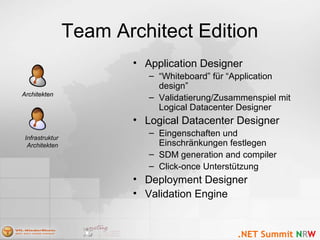
Team Architect Edition
• Application Designer
– “Whiteboard” für “Application
design”
– Validatierung/Zusammenspiel mit
Logical Datacenter Designer
• Logical Datacenter Designer
– Eingenschaften und
Einschränkungen festlegen
– SDM generation and compiler
– Click-once Unterstützung
• Deployment Designer
• Validation Engine
ArchitektenArchitekten
InfrastrukturInfrastruktur
ArchitektenArchitekten
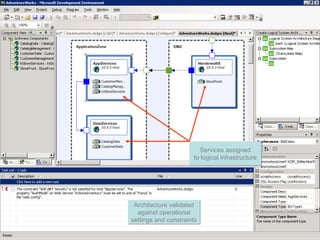
Logical Infrastructure Designer
Services assigned
to logical infrastructure
Services assigned
to logical infrastructure
Architecture validated
against operational
settings and constraints
Architecture validated
against operational
settings and constraints
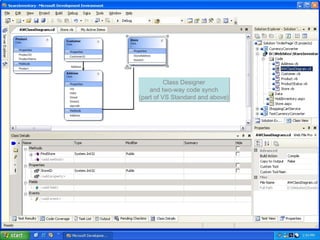
Class Designer
Class Designer
and two-way code synch
(part of VS Standard and above)
Class Designer
and two-way code synch
(part of VS Standard and above)
Team Developer
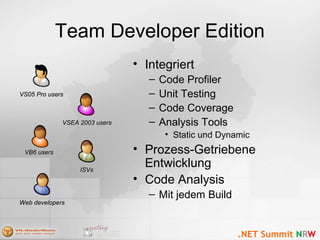
Team Developer Edition
• Integriert
– Code Profiler
– Unit Testing
– Code Coverage
– Analysis Tools
• Static und Dynamic
• Prozess-Getriebene
Entwicklung
• Code Analysis
– Mit jedem Build
VS05 Pro usersVS05 Pro users
ISVsISVs
Web developersWeb developers
VB6 usersVB6 users
VSEA 2003 usersVSEA 2003 users
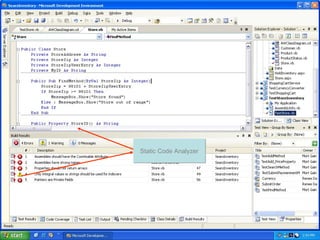
Static Code Analysis
Static Code AnalyzerStatic Code Analyzer
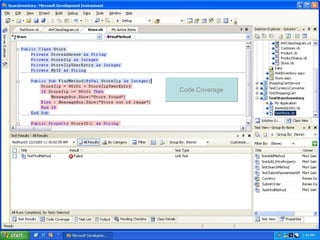
Code Coverage
Code CoverageCode Coverage
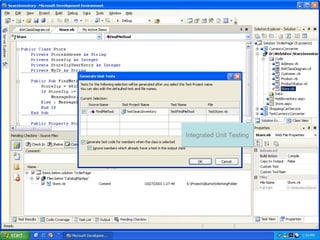
Unit Testing
Integrated Unit TestingIntegrated Unit Testing
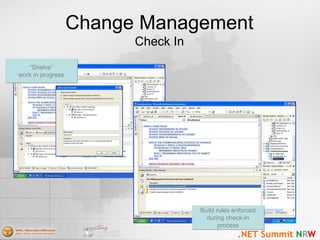
Change Management
Check In
“Shelve”
work in progress
“Shelve”
work in progress
Build rules enforced
during check-in
process
Build rules enforced
during check-in
process
Team Developer Edition
• Static code analysis
– Managed - FxCop
– Native – PREfast
• Code profiling
– Instrumented – IceCAP (Windows Base, SQL Server…)
– Sampling – LOP, (Xbox, …)
– Ansicht der object allocation (GC)
– Caller-callee, callstack, und Funktionsansichten
• Code coverage
– Basic Block Coverage
• Application Verifier
– Mehr: Michael Willers fragen 
Team Test
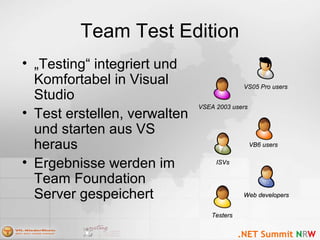
Team Test Edition
• „Testing“ integriert und
Komfortabel in Visual
Studio
• Test erstellen, verwalten
und starten aus VS
heraus
• Ergebnisse werden im
Team Foundation
Server gespeichert
VS05 Pro usersVS05 Pro users
ISVsISVs
Web developersWeb developers
VB6 usersVB6 users
TestersTesters
VSEA 2003 usersVSEA 2003 users
Load Testing Creation
Load Testing
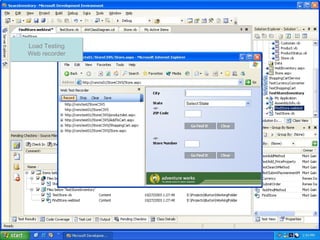
Web recorder
Load Testing
Web recorder
Load Testing
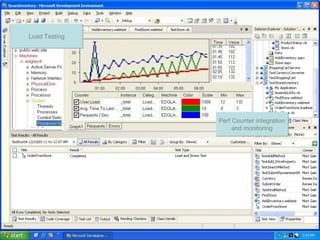
Perf Counter integration
and monitoring
Perf Counter integration
and monitoring
Load TestingLoad Testing
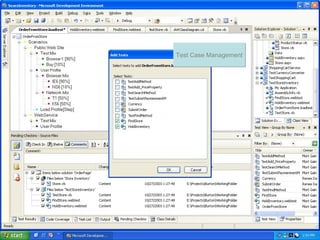
Test Case Management
Test Case ManagementTest Case Management
Team Test Edition
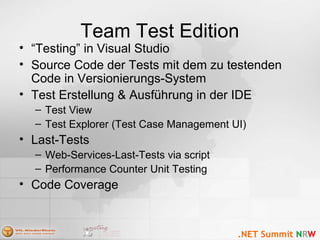
• “Testing” in Visual Studio
• Source Code der Tests mit dem zu testenden
Code in Versionierungs-System
• Test Erstellung & Ausführung in der IDE
– Test View
– Test Explorer (Test Case Management UI)
• Last-Tests
– Web-Services-Last-Tests via script
– Performance Counter Unit Testing
• Code Coverage
Team System
Das Unternehmen
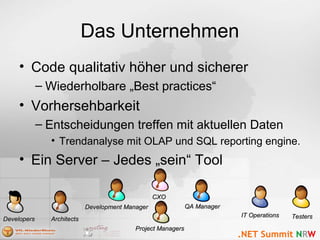
• Code qualitativ höher und sicherer
– Wiederholbare „Best practices“
• Vorhersehbarkeit
– Entscheidungen treffen mit aktuellen Daten
• Trendanalyse mit OLAP und SQL reporting engine.
• Ein Server – Jedes „sein“ Tool
DevelopersDevelopers ArchitectsArchitects
IT OperationsIT Operations TestersTesters
QA ManagerQA ManagerDevelopment ManagerDevelopment Manager
CXOCXO
Project ManagersProject Managers
Industrie Partner
Resourcen
• msdn.microsoft.com/vstudio/teamsystem
• lab.msdn.microsoft.com/vs2005/teamsystem
• blogs.msdn.com/askburton
• teamsystemrocks.com
Fragen?
Vielen Dank!
DanielF@newtelligence.com

2005 - NRW Conf: Design, Entwicklung und Tests

  • 1.
    Design, Entwicklung undTests Daniel Fisher(lennybacon) newtelligence AG
  • 2.
    Personalisierte Produktivität Studenten Hobbyists Consultants Solo Professionals EnterpriseDevs Architects Testers Project Managers Teil-Zeit VB6 Devs Web Professionals
  • 3.
    Das Unternehmen • VerpassteGeschäftsmöglichkeiten • Schlechte Reputation • Alles für die Katz! DeveloperDeveloper ArchitektenArchitekten IT OperationsIT Operations TesterTester QA ManagerQA ManagerDevelopment ManagerDevelopment Manager CXOCXO Projekt ManagerProjekt Manager
  • 4.
    Das Projekt Management •Lücken in der Kommunikation • Team ist „disconnected“ • Tracking, nicht Managing • Prozess-Änderungen sind schlecht bis garnicht möglich Projekt ManagerProjekt Manager
  • 5.
    Die Architekten • Developerarbeiten nicht mit “architectural guidelines” • Deployment Probleme werden zu späht bedacht • Modeling Tools nicht Ideal – Positiv: Gut zur Dokumentation – Negativ: round-tripping, Gut zur planung aber nicht zur Entwicklung von Softwaresystemen ArchitektenArchitekten InfrastrukturInfrastruktur ArchitektenArchitekten
  • 6.
    Die Entwickler • VerschiedeneTools für verschiedene Aufgaben • Wissen verteilen ist schwer – Best practices – Häufige Fehler • Security VS05 Pro usersVS05 Pro users ISVsISVs Web developersWeb developers VB6 usersVB6 users VSEA 2003 usersVSEA 2003 users
  • 7.
    Die Tester • KeineBuilt-in Test-Tools in Visual Studio • Test sind oft nicht Teil des Projekt-Lifecycle • Kein integriertes Reporting/Tracking: – “Hab ich das schon …?” – “Haben wir weniger Bugs als Gestern?” VS05 Pro usersVS05 Pro users ISVsISVs Web developersWeb developers VB6 usersVB6 users TestersTesters VSEA 2003 usersVSEA 2003 users
  • 8.
    Das Team • VerschiedeneTools … • …aber die gleichen Daten! • Team-weiter Statusreport? – Auf Papier? • Einarbeitung neuer Team-Mitglieder? IT OperationsIT Operations DeveloperDeveloper Projekt ManagerProjekt ManagerArchitektenArchitekten TesterTester
  • 9.
    Visual Studio TeamSystem Voraussagbarkeit Zuverlässigkeit Qualität Sichtbarkeit Planbarkeit Solution Architekt ProjectProject ManagerManager TesterTester DeveloperDeveloper Infrastructure Architekt
  • 10.
    Team System Prinzipien Produktivität •Bekannteund neueTools •Kleine Lernkurve Integriert •F5 Integration •Daten und Ergebnisse Erweiterbarkeit •Eigene Methoden •Drittanbieter Tools
  • 11.
    Visual Studio TeamSystem Version Control Work Item Tracking Team Reporting Project Portal Visual Studio Team Foundation Integration Services Project Management ProcessanProcessan Dynamic Code Analyzer Visual Studio Team Architect Static Code Analyzer Code Profiler Unit Testing Code Coverage Visio and UML Modeling Team Foundation Client (includes CAL) Visual Studio Professional Edition Load/Web Testing Manual Testing Test Case Management Application Designer Logical Datacenter Designer Deployment Designer Visual Studio Team Developer Visual Studio Team Test VisualStudioVisualStudio Team Build Class Designer
  • 12.
  • 13.
    Team Foundation • “NormalWeiterarbeiten wie zuvor” – Team Foundation arbeitet im Hintergrund • Daily/Nightly Builds • Project Portal für alle Beteiligten DevelopersDevelopers ArchitectsArchitects Project ManagersProject Managers IT OperationsIT Operations TestersTesters
  • 14.
    Work Items Wor-Items erstellenmit Microsoft Excel Wor-Items erstellen mit Microsoft Excel Work-Items anzeigen in Visual Studio Work-Items anzeigen in Visual Studio Work-Items zu Resources zuordnen mitMicrosoft Project Work-Items zu Resources zuordnen mitMicrosoft Project Projektstatus in Microsoft Excel oder Microsoft Project Projektstatus in Microsoft Excel oder Microsoft Project
  • 15.
  • 16.
  • 17.
  • 18.
  • 19.
    Team Foundation • Work-Itemtracking – Einfache integration in bestehende Prozesse – Eigene Prozesse integrieren – Fields, Forms, States, Rules – Verknüpfungen – bugs, reports, artifacts – Benachrichtigungen • Source Code Control – In der IDE – Integriertes automatisches Check-in – Scalierbar und Robust – Parallel-Entwicklung – Benachrichtigungen • Build automation – Daily/Nightly Build-Scripts – Berichte – Integriert • Metrics warehouse – Automatische Datensammlung – OLAP Reports • Projekt portal – High-Level-Informationen an Zentraler Stelle – Web-Zugriff auf Work-Items – WSS based
  • 20.
  • 21.
    Team Architect Edition •Application Designer – “Whiteboard” für “Application design” – Validatierung/Zusammenspiel mit Logical Datacenter Designer • Logical Datacenter Designer – Eingenschaften und Einschränkungen festlegen – SDM generation and compiler – Click-once Unterstützung • Deployment Designer • Validation Engine ArchitektenArchitekten InfrastrukturInfrastruktur ArchitektenArchitekten
  • 22.
    Logical Infrastructure Designer Servicesassigned to logical infrastructure Services assigned to logical infrastructure Architecture validated against operational settings and constraints Architecture validated against operational settings and constraints
  • 23.
    Class Designer Class Designer andtwo-way code synch (part of VS Standard and above) Class Designer and two-way code synch (part of VS Standard and above)
  • 25.
  • 26.
    Team Developer Edition •Integriert – Code Profiler – Unit Testing – Code Coverage – Analysis Tools • Static und Dynamic • Prozess-Getriebene Entwicklung • Code Analysis – Mit jedem Build VS05 Pro usersVS05 Pro users ISVsISVs Web developersWeb developers VB6 usersVB6 users VSEA 2003 usersVSEA 2003 users
  • 27.
    Static Code Analysis StaticCode AnalyzerStatic Code Analyzer
  • 28.
  • 29.
    Unit Testing Integrated UnitTestingIntegrated Unit Testing
  • 30.
    Change Management Check In “Shelve” workin progress “Shelve” work in progress Build rules enforced during check-in process Build rules enforced during check-in process
  • 31.
    Team Developer Edition •Static code analysis – Managed - FxCop – Native – PREfast • Code profiling – Instrumented – IceCAP (Windows Base, SQL Server…) – Sampling – LOP, (Xbox, …) – Ansicht der object allocation (GC) – Caller-callee, callstack, und Funktionsansichten • Code coverage – Basic Block Coverage • Application Verifier – Mehr: Michael Willers fragen 
  • 32.
  • 33.
    Team Test Edition •„Testing“ integriert und Komfortabel in Visual Studio • Test erstellen, verwalten und starten aus VS heraus • Ergebnisse werden im Team Foundation Server gespeichert VS05 Pro usersVS05 Pro users ISVsISVs Web developersWeb developers VB6 usersVB6 users TestersTesters VSEA 2003 usersVSEA 2003 users
  • 34.
    Load Testing Creation LoadTesting Web recorder Load Testing Web recorder
  • 35.
    Load Testing Perf Counterintegration and monitoring Perf Counter integration and monitoring Load TestingLoad Testing
  • 36.
    Test Case Management TestCase ManagementTest Case Management
  • 38.
    Team Test Edition •“Testing” in Visual Studio • Source Code der Tests mit dem zu testenden Code in Versionierungs-System • Test Erstellung & Ausführung in der IDE – Test View – Test Explorer (Test Case Management UI) • Last-Tests – Web-Services-Last-Tests via script – Performance Counter Unit Testing • Code Coverage
  • 39.
  • 40.
    Das Unternehmen • Codequalitativ höher und sicherer – Wiederholbare „Best practices“ • Vorhersehbarkeit – Entscheidungen treffen mit aktuellen Daten • Trendanalyse mit OLAP und SQL reporting engine. • Ein Server – Jedes „sein“ Tool DevelopersDevelopers ArchitectsArchitects IT OperationsIT Operations TestersTesters QA ManagerQA ManagerDevelopment ManagerDevelopment Manager CXOCXO Project ManagersProject Managers
  • 41.
  • 42.
  • 43.
  • 44.

Hinweis der Redaktion

  • #5 Gaps in translating work Which list are you operating from? Difficult to manage project change Team is disconnected People working on stale info Status from team members is pulling teeth Inefficiencies between team members Tracking, not managing Tools stand apart from systems Gathering metrics is cumbersome Difficulty correcting systemic problems Hard to find when you need them Process changes aren’t followed Painful translation from requirements to actual work. I spend all my time mapping and remapping data Gathering metrics from all over the place. Its a manual and time intensive exercise My metrics, your metrics Managing project change becomes a translation nightmare Where is the project, overall? Separate out the high level from the noise Choose areas that will have the most impact Want to use best practices Hard to find when you need them Cannot correct systemic problems in the team with systemic solutions People need to go out of their way to follow the process Need for more communication /Team is disconnected. People working on stale info From team members – what have I completed? In between team members – can I start work yet? Why don’t those people
  • #12 Introducing Visual Studio Team System Visual Studio Team System consists of: Visual Studio Team Foundation an extensible team collaboration server that enables all members of the extended IT team to effortlessly manage and track the progress and health of projects Visual Studio Team Architect, visual designers that enable architects, operations managers, and developers to design service-oriented solutions that can be validated against their operational environments Visual Studio Team Developer, advanced development tools that enable teams to build reliable, mission-critical services and applications Visual Studio Team Test, advanced load testing tools that enable teams to verify the performance of applications prior to deployment The Visual Studio award-winning developer tool forms the core of the Visual Studio Team System and is included in each of the three products listed above Visual Studio Team Suite, bundle of Visual Studio Team Architect Edition, Visual Studio Team Developer Edition, and Visual Studio Team Test Edition Proven process guidance, prescriptive architectural guidance, and solution accelerators that assist organizations in improving the predictability and reliability of delivering mission-critical solutions. Here’s what we’re building… We’ve designed our tools from the ground up to… Reduce the complexity of delivering modern solutions by constructing intuitive user interfaces and baking the process guidance directly into the product Facilitate communication and collaboration among members of a software delivery team through deep integration of features Enable a vibrant partner ecosystem through a set of Web service-based APIs for ISVs and businesses to plug into
  • #20 Team Foundation is server software for managing collaboration and assets across teams. Team Foundation includes enterprise-grade change management tools for managing assets and work items. This is not SourceSafe, it’s built from the ground up on the .NET Framework and Web services to support large teams. We’re already using it inside of Microsoft and will roll it out broadly once we ship the product. It includes all the facilities for branching, changesets, merging, diff, etc. that you’d expect. The Work Item tracking system is a productization of the same tool that all of Microsoft already uses to manage bugs and track work items. We’ve integrated with Microsoft Project and Microsoft Excel as well, so that if you’re a casual stakeholder in the project, or just someone who prefers to work in Office, you can do so. The data in Office and the data in Team Foundation are always synchronized. As you work and check in, resolve work items, resolve bugs, etc., the Team Foundation gathers a lot of metrics on your project and developers. This information is stored in a SQL 2005 data warehouse. All of this information can be accessed via SQL Reporting Services. We’ll actually ship 50+ reports in the box, and all the reports have associated Web parts which can be displayed in the Project Portal. The Project Portal is Sharepoint-based. It’s created for every project portfolio so that you can manage developers, source code, and project status.
  • #22 Team Architect Edition enables software architects and infrastructure architects to collaborate more effectively on delivering service oriented applciations. We will deliver three major designers in VSTS: The AD: enables you to visually author your Web services and service oriented architectures The LDD: enables you to visually author your network infrastructure The DD: enables you to define hosting relationships between your application design and datacenter design Now, these three designers are great in and of themselves. However, the “secret sauce” of VSTS is that these designers work well with one another. First, the diagrams you author in the AD are always synchronized with code. Most importantly…the architecture you describe in the AD can be immediately validated against the network infrastructure you describe in the LDD. This saves a lot of time when it comes time to deployment as you can have the confidence in knowing that the application you’ve built will, in fact, work in the network topology you’ll need to deploy in. This is what we refer to as “designing for operations”, and it’s a key component of our Dynamic Systems Initiative.
  • #32 Team Developer Edition enables advanced developers to verify the performance and quality of the code they write. Static code analysis: think of Static Code Analysis as grammar checking for your code. Compilers check your syntax, similar to spell checkers. But, static code analysis tools analyze the semantic meaning behind your code and can detect performance problems, security errors, and more. This is a productization of tools that we’ve used internally for years. Code profiling analyzes your code as it’s running to give you more information on how your application is running. We’ll actually ship two code profilers in VSTS: a sampling based profiler and an instrumented profiler. A sampling profiler polls your application and retrieves information about it. Once you get that data, you can use the instrumented profiler. The instrumented profiler injects probes into your code at compile time. As your application runs, those probes fire off data which is collected by the profiler. This is a productization of tools we’ve built and used internally for years. Code coverage and unit testing work hand in hand. Unit testing is an attribute based unit testing framework similar to JUnit and NUnit. But, unit testing only tells you how well your code has been tested. It doesn’t tell you how effective your testing is. Code coverage tells you how much of your code has been exercised by unit tests. Optional anecdote about code profiling: Last year, we brought a very large ISV up to Microsoft to profile their code. They used our code profiler after using several others already in the marketplace and were able to see an immediate 10-15% performance gain. We’ve always considered our code profiling tools as one of our competitive advantages. We’re productizing it and putting it in the box for you to use.
  • #39 Team Test Edition is load testing software for Web professionals to test the performance capacity of their Web applications and services. Load testing includes a Web test recorder that records interaction between the user and the browser which can then be replayed on a test infrastructure The Load Testing solution itself enables you to customize how you execute distributed load tests on a test infrastructure. Team Test Edition also includes test case management tools for organizing load tests, unit tests, and manual tests in one location. The Load Testing software will work on any HTTP or HTTPS based application, be it .NET Framework-based or not. Third-parties can customize the load testing software to support other protocols.
  • #42 A number of partners, from large and small ISVs to large and small Systems Integrators are integrating on top of Visual Studio.