jQuery Javascript mit CSS-Tricks Eine Präsentation von Brigitte Jellinek cc share alike
"Funktioniert auch ohne" Prinzip:  Ohne Javascript benutzbar Mit Javascript besser benutzbar Beispiele Navigation ein/ausblenden Teile eines Formulars ein/ausblenden Wird von jQuery optimal unterstützt
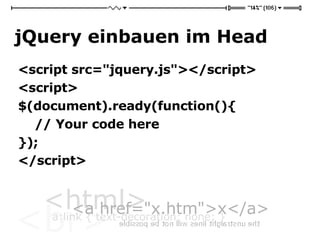
jQuery einbauen im Head <script src=&quot;jquery.js&quot;></script> <script> $(document).ready(function(){  // Your code here  });  </script>
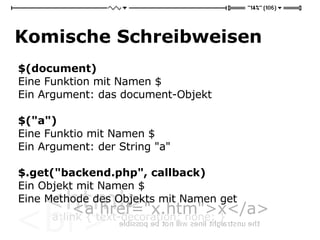
Komische Schreibweisen $(document) Eine Funktion mit Namen $ Ein Argument: das document-Objekt $(&quot;a&quot;) Eine Funktio mit Namen $ Ein Argument: der String &quot;a&quot; $.get(&quot;backend.php&quot;, callback) Ein Objekt mit Namen $ Eine Methode des Objekts mit Namen get
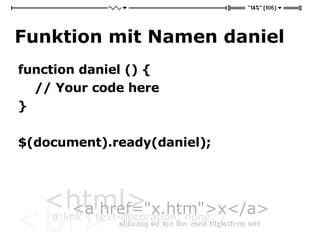
Funktion mit Namen daniel function daniel () {  // Your code here  }  $(document).ready(daniel);
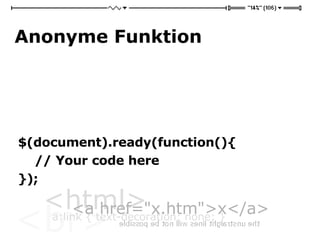
Anonyme Funktion $(document).ready(function(){  // Your code here  });
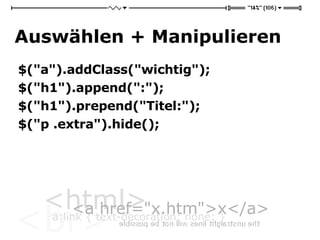
Auswählen + Manipulieren $(&quot;a&quot;).addClass(&quot;wichtig&quot;); $(&quot;h1&quot;).append(&quot;:&quot;); $(&quot;h1&quot;).prepend(&quot;Titel:&quot;); $(&quot;p .extra&quot;).hide();
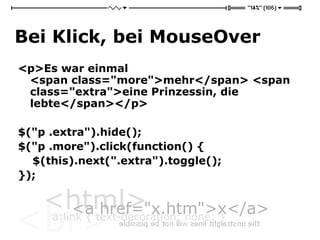
Bei Klick, bei MouseOver <p>Es war einmal  <span class=&quot;more&quot;>mehr</span> <span class=&quot;extra&quot;>eine Prinzessin, die lebte</span></p> $(&quot;p .extra&quot;).hide(); $(&quot;p .more&quot;).click(function() { $(this).next(&quot;.extra&quot;).toggle(); });
Weiter? http://jquery.com

jQuery Kurz-Intro

  • 1.
    jQuery Javascript mitCSS-Tricks Eine Präsentation von Brigitte Jellinek cc share alike
  • 2.
    &quot;Funktioniert auch ohne&quot;Prinzip: Ohne Javascript benutzbar Mit Javascript besser benutzbar Beispiele Navigation ein/ausblenden Teile eines Formulars ein/ausblenden Wird von jQuery optimal unterstützt
  • 3.
    jQuery einbauen imHead <script src=&quot;jquery.js&quot;></script> <script> $(document).ready(function(){ // Your code here }); </script>
  • 4.
    Komische Schreibweisen $(document)Eine Funktion mit Namen $ Ein Argument: das document-Objekt $(&quot;a&quot;) Eine Funktio mit Namen $ Ein Argument: der String &quot;a&quot; $.get(&quot;backend.php&quot;, callback) Ein Objekt mit Namen $ Eine Methode des Objekts mit Namen get
  • 5.
    Funktion mit Namendaniel function daniel () { // Your code here } $(document).ready(daniel);
  • 6.
  • 7.
    Auswählen + Manipulieren$(&quot;a&quot;).addClass(&quot;wichtig&quot;); $(&quot;h1&quot;).append(&quot;:&quot;); $(&quot;h1&quot;).prepend(&quot;Titel:&quot;); $(&quot;p .extra&quot;).hide();
  • 8.
    Bei Klick, beiMouseOver <p>Es war einmal <span class=&quot;more&quot;>mehr</span> <span class=&quot;extra&quot;>eine Prinzessin, die lebte</span></p> $(&quot;p .extra&quot;).hide(); $(&quot;p .more&quot;).click(function() { $(this).next(&quot;.extra&quot;).toggle(); });
  • 9.