Dirk Ginader | Yahoo! Inc.


Javascript
auf Client UND Server
warum JS auf dem Server?

• Web Developer mögen Javascript
• Javascript Frameworks
• Code nur einmal schreiben
• Progressive Enhancement einfach
  so!
• node.js
node.js

• Javascript auf dem Server
• V8 Engine (rockt googles Chrome)
• blockt nicht
• statt dessen alles auf Event Basis
• CommonJS
• fantastisch schnell!
nodejs.org

 “Node's goal is to provide an easy
 way to build scalable network
 programs”
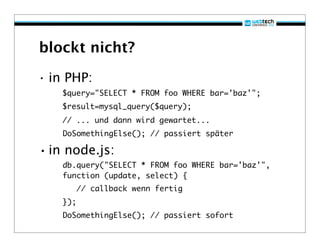
blockt nicht?

• in PHP:
    $query="SELECT * FROM foo WHERE bar='baz'";
    $result=mysql_query($query);
    // ... und dann wird gewartet...
    DoSomethingElse(); // passiert später

• in node.js:
    db.query("SELECT * FROM foo WHERE bar='baz'",
    function (update, select) {
          // callback wenn fertig
    });
    DoSomethingElse(); // passiert sofort
blockt nicht?

• bei einer Abfrage nicht so schlimm
• aber bei 10?
• oder bei 100?
• node macht alle Abfragen
  gleichzeitig
• php wartet auf jede einzelne
  nacheinander...
• VIEL schneller!
Logik nur einmal schreiben!

• Wenn man progressive enhancement
  ernst nimmt schreibt man viel
  Business und Renderlogik zweimal
Logik nur einmal schreiben!

• Currency Converter
  – http://finance.yahoo.com/currency-
    converter/
  – damals Javascript + PHP
  – 2x Logik Konvertierung
  – 2x Rendering
  – Rundungsfehler!
Logik nur einmal schreiben!

• Formular Validierung
  – 2x Regular Expressions!
  – 2x Fehlermeldungen!
  – 2x komplexes Testen von Radio- und
    Selectboxen
  – Anzeigen der Fehler beim Feld ist
    schmerzhaft auf dem Server
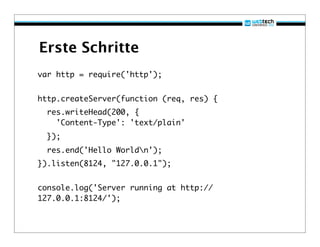
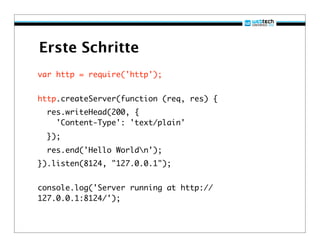
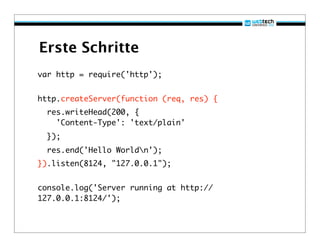
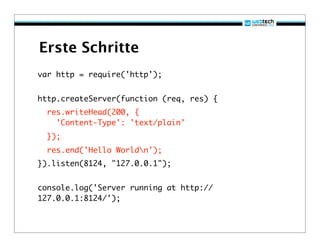
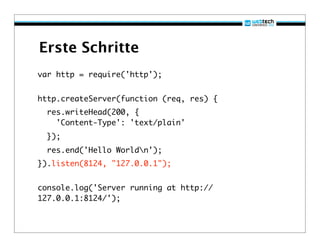
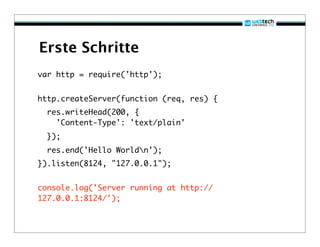
Erste Schritte
var http = require('http');


http.createServer(function (req, res) {
  res.writeHead(200, {
    'Content-Type': 'text/plain'
  });
  res.end('Hello Worldn');
}).listen(8124, "127.0.0.1");


console.log('Server running at http://
127.0.0.1:8124/');
Erste Schritte
var http = require('http');


http.createServer(function (req, res) {
  res.writeHead(200, {
    'Content-Type': 'text/plain'
  });
  res.end('Hello Worldn');
}).listen(8124, "127.0.0.1");


console.log('Server running at http://
127.0.0.1:8124/');
Erste Schritte
var http = require('http');


http.createServer(function (req, res) {
  res.writeHead(200, {
    'Content-Type': 'text/plain'
  });
  res.end('Hello Worldn');
}).listen(8124, "127.0.0.1");


console.log('Server running at http://
127.0.0.1:8124/');
Erste Schritte
var http = require('http');


http.createServer(function (req, res) {
  res.writeHead(200, {
    'Content-Type': 'text/plain'
  });
  res.end('Hello Worldn');
}).listen(8124, "127.0.0.1");


console.log('Server running at http://
127.0.0.1:8124/');
Erste Schritte
var http = require('http');


http.createServer(function (req, res) {
  res.writeHead(200, {
    'Content-Type': 'text/plain'
  });
  res.end('Hello Worldn');
}).listen(8124, "127.0.0.1");


console.log('Server running at http://
127.0.0.1:8124/');
Erste Schritte
var http = require('http');


http.createServer(function (req, res) {
  res.writeHead(200, {
    'Content-Type': 'text/plain'
  });
  res.end('Hello Worldn');
}).listen(8124, "127.0.0.1");


console.log('Server running at http://
127.0.0.1:8124/');
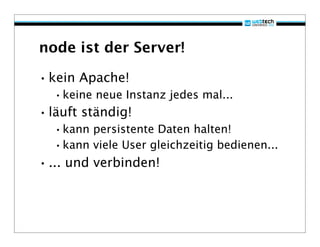
node ist der Server!

• kein Apache!
  •keine neue Instanz jedes mal...
• läuft ständig!
  •kann persistente Daten halten!
  •kann viele User gleichzeitig bedienen...
• ... und verbinden!
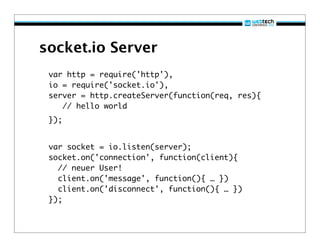
socket.io Server
 var http = require('http'),
 io = require('socket.io'),
 server = http.createServer(function(req, res){
    // hello world
 });


 var socket = io.listen(server);
 socket.on('connection', function(client){
   // neuer User!
   client.on('message', function(){ … })
   client.on('disconnect', function(){ … })
 });
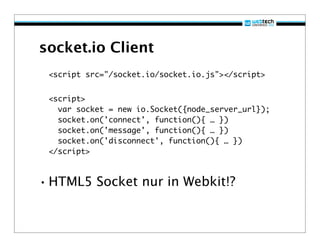
socket.io Client
 <script src="/socket.io/socket.io.js"></script>


 <script>
   var socket = new io.Socket({node_server_url});
   socket.on('connect', function(){ … })
   socket.on('message', function(){ … })
   socket.on('disconnect', function(){ … })
 </script>


• HTML5 Socket nur in Webkit!?
socket.io Client

• Supports
  – WebSocket, Flash Socket, ActiveX
    HTMLFile (IE), XHR with multipart
    encoding, XHR with long-polling, JSONP
    polling (for cross-domain)
• Tested on
  – Safari 4, Google Chrome 5, Internet
    Explorer 6, Internet Explorer 7, Internet
    Explorer 8, iPhone Safari, iPad Safari,
    Firefox 3, Firefox 4 (Minefield), Opera
    10.61
Examples

• Socket Chat
• Swarmation: http://
  swarmation.com/
• moving cursors: http://
  jeffkreeftmeijer.com/2010/
  experimenting-with-node-js/
• hummingbird: http://
  projects.nuttnet.net/hummingbird/
express.js

• http://expressjs.com/
• Framework für node.js
• macht Application Entwicklung sehr
  viel einfacher
• var app = express.createServer();
  app.get('/', function(req, res){
      res.send('Hello World');
  });
  app.listen(3000);

• url routing, static file server,
  views ...
YUI3 auf node.js

• Dav Glass schaffte es als erster eine
  Javascript Library auf node.js zu
  bringen
• Die besondere Architektur von YUI3
  machte das “ganz einfach”
• Auch YUI2 Module laufen jetzt auf
  node (dank YUI2 in YUI3)
• Alle YUI3 Gallery Module
  automatisch
EIN DOM AUF DEM SERVER!

• Dav Glass kombinierte
• http://github.com/tmpvar/jsdom
  •um einen echten DOM wie im Browser
   auf den Server zu bringen!
• http://github.com/tautologistics/
 node-htmlparser
  •für innerHTML Support
• fake window und document Objekte
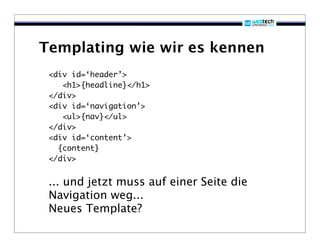
Templating wie wir es kennen
 <div id=‘header’>
    <h1>{headline}</h1>
 </div>
 <div id=‘navigation’>
    <ul>{nav}</ul>
 </div>
 <div id=‘content’>
   {content}
 </div>


 ... und jetzt muss auf einer Seite die
 Navigation weg...
 Neues Template?
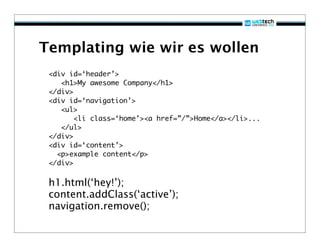
Templating wie wir es wollen
 <div id=‘header’>
    <h1>My awesome Company</h1>
 </div>
 <div id=‘navigation’>
    <ul>
        <li class=‘home’><a href=”/”>Home</a></li>...
    </ul>
 </div>
 <div id=‘content’>
   <p>example content</p>
 </div>

 h1.html(‘hey!’);
 content.addClass(‘active’);
 navigation.remove();
DOM mit YUI3

• Kann genau das!
• http://express.davglass.com/
• http://github.com/davglass/yui-
 express
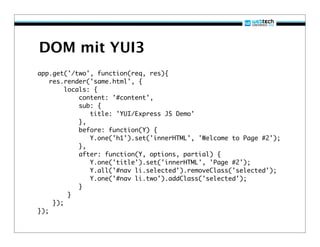
DOM mit YUI3
app.get('/two', function(req, res){
    res.render('same.html', {
         locals: {
             content: '#content',
             sub: {
                title: 'YUI/Express JS Demo'
             },
             before: function(Y) {
                Y.one('h1').set('innerHTML', 'Welcome to Page #2');
             },
             after: function(Y, options, partial) {
                Y.one('title').set('innerHTML', 'Page #2');
                Y.all('#nav li.selected').removeClass('selected');
                Y.one('#nav li.two').addClass('selected');
             }
          }
     });
});
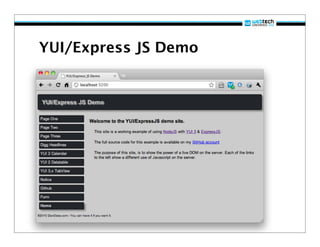
YUI/Express JS Demo
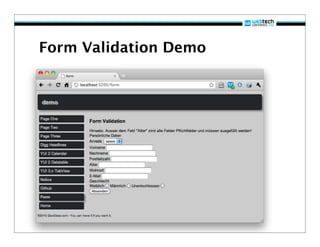
Form Validation Demo
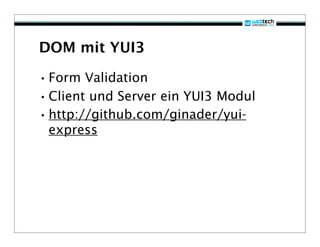
DOM mit YUI3

• Form Validation
• Client und Server ein YUI3 Modul
• http://github.com/ginader/yui-
 express
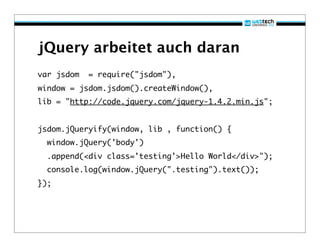
jQuery arbeitet auch daran
var jsdom   = require("jsdom"),
window = jsdom.jsdom().createWindow(),
lib = "http://code.jquery.com/jquery-1.4.2.min.js";


jsdom.jQueryify(window, lib , function() {
  window.jQuery('body')
  .append(<div class='testing'>Hello World</div>");
  console.log(window.jQuery(".testing").text());
});
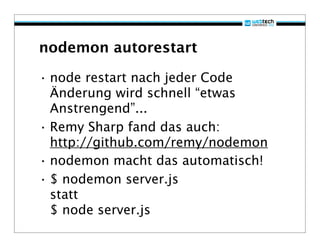
nodemon autorestart

• node restart nach jeder Code
  Änderung wird schnell “etwas
  Anstrengend”...
• Remy Sharp fand das auch:
  http://github.com/remy/nodemon
• nodemon macht das automatisch!
• $ nodemon server.js
  statt
  $ node server.js
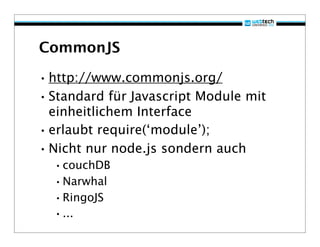
CommonJS

• http://www.commonjs.org/
• Standard für Javascript Module mit
  einheitlichem Interface
• erlaubt require(‘module’);
• Nicht nur node.js sondern auch
  •couchDB
  •Narwhal
  •RingoJS
  •...
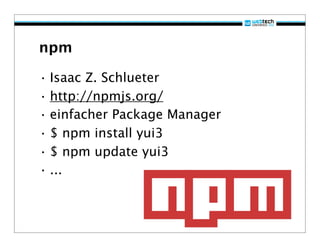
npm

• Isaac Z. Schlueter
• http://npmjs.org/
• einfacher Package Manager
• $ npm install yui3
• $ npm update yui3
• ...
Alternativen

• http://www.narwhaljs.org/
• http://www.ringojs.org/
• http://www.mozilla.org/rhino/
• ...
installation

 git clone git://github.com/ry/
 node.git
 ./configure
 make
 make install


 node server.js
no.de

• einfache Alternative
• kostenlos
• (beta)
• git remote
  – push = deploy
• https://no.de/
• http://www.joyent.com
Hilfe

• http://nodejs.org
• http://code.google.com/p/git-osx-
  installer/
• http://no.de/
• irc.freenode.net #node.js
  starke Community!
Danke :-)

• http://ginader.de
• @ginader
• http://www.slideshare.net/ginader
• http://speakerrate.com/speakers/
  225-ginader

Javascript auf Client und Server mit node.js - webtech 2010

  • 1.
    Dirk Ginader |Yahoo! Inc. Javascript auf Client UND Server
  • 2.
    warum JS aufdem Server? • Web Developer mögen Javascript • Javascript Frameworks • Code nur einmal schreiben • Progressive Enhancement einfach so! • node.js
  • 3.
    node.js • Javascript aufdem Server • V8 Engine (rockt googles Chrome) • blockt nicht • statt dessen alles auf Event Basis • CommonJS • fantastisch schnell!
  • 4.
    nodejs.org “Node's goalis to provide an easy way to build scalable network programs”
  • 5.
    blockt nicht? • inPHP: $query="SELECT * FROM foo WHERE bar='baz'"; $result=mysql_query($query); // ... und dann wird gewartet... DoSomethingElse(); // passiert später • in node.js: db.query("SELECT * FROM foo WHERE bar='baz'", function (update, select) { // callback wenn fertig }); DoSomethingElse(); // passiert sofort
  • 6.
    blockt nicht? • beieiner Abfrage nicht so schlimm • aber bei 10? • oder bei 100? • node macht alle Abfragen gleichzeitig • php wartet auf jede einzelne nacheinander... • VIEL schneller!
  • 7.
    Logik nur einmalschreiben! • Wenn man progressive enhancement ernst nimmt schreibt man viel Business und Renderlogik zweimal
  • 8.
    Logik nur einmalschreiben! • Currency Converter – http://finance.yahoo.com/currency- converter/ – damals Javascript + PHP – 2x Logik Konvertierung – 2x Rendering – Rundungsfehler!
  • 9.
    Logik nur einmalschreiben! • Formular Validierung – 2x Regular Expressions! – 2x Fehlermeldungen! – 2x komplexes Testen von Radio- und Selectboxen – Anzeigen der Fehler beim Feld ist schmerzhaft auf dem Server
  • 10.
    Erste Schritte var http= require('http'); http.createServer(function (req, res) { res.writeHead(200, { 'Content-Type': 'text/plain' }); res.end('Hello Worldn'); }).listen(8124, "127.0.0.1"); console.log('Server running at http:// 127.0.0.1:8124/');
  • 11.
    Erste Schritte var http= require('http'); http.createServer(function (req, res) { res.writeHead(200, { 'Content-Type': 'text/plain' }); res.end('Hello Worldn'); }).listen(8124, "127.0.0.1"); console.log('Server running at http:// 127.0.0.1:8124/');
  • 12.
    Erste Schritte var http= require('http'); http.createServer(function (req, res) { res.writeHead(200, { 'Content-Type': 'text/plain' }); res.end('Hello Worldn'); }).listen(8124, "127.0.0.1"); console.log('Server running at http:// 127.0.0.1:8124/');
  • 13.
    Erste Schritte var http= require('http'); http.createServer(function (req, res) { res.writeHead(200, { 'Content-Type': 'text/plain' }); res.end('Hello Worldn'); }).listen(8124, "127.0.0.1"); console.log('Server running at http:// 127.0.0.1:8124/');
  • 14.
    Erste Schritte var http= require('http'); http.createServer(function (req, res) { res.writeHead(200, { 'Content-Type': 'text/plain' }); res.end('Hello Worldn'); }).listen(8124, "127.0.0.1"); console.log('Server running at http:// 127.0.0.1:8124/');
  • 15.
    Erste Schritte var http= require('http'); http.createServer(function (req, res) { res.writeHead(200, { 'Content-Type': 'text/plain' }); res.end('Hello Worldn'); }).listen(8124, "127.0.0.1"); console.log('Server running at http:// 127.0.0.1:8124/');
  • 16.
    node ist derServer! • kein Apache! •keine neue Instanz jedes mal... • läuft ständig! •kann persistente Daten halten! •kann viele User gleichzeitig bedienen... • ... und verbinden!
  • 17.
    socket.io Server varhttp = require('http'), io = require('socket.io'), server = http.createServer(function(req, res){ // hello world }); var socket = io.listen(server); socket.on('connection', function(client){ // neuer User! client.on('message', function(){ … }) client.on('disconnect', function(){ … }) });
  • 18.
    socket.io Client <scriptsrc="/socket.io/socket.io.js"></script> <script> var socket = new io.Socket({node_server_url}); socket.on('connect', function(){ … }) socket.on('message', function(){ … }) socket.on('disconnect', function(){ … }) </script> • HTML5 Socket nur in Webkit!?
  • 19.
    socket.io Client • Supports – WebSocket, Flash Socket, ActiveX HTMLFile (IE), XHR with multipart encoding, XHR with long-polling, JSONP polling (for cross-domain) • Tested on – Safari 4, Google Chrome 5, Internet Explorer 6, Internet Explorer 7, Internet Explorer 8, iPhone Safari, iPad Safari, Firefox 3, Firefox 4 (Minefield), Opera 10.61
  • 20.
    Examples • Socket Chat •Swarmation: http:// swarmation.com/ • moving cursors: http:// jeffkreeftmeijer.com/2010/ experimenting-with-node-js/ • hummingbird: http:// projects.nuttnet.net/hummingbird/
  • 21.
    express.js • http://expressjs.com/ • Frameworkfür node.js • macht Application Entwicklung sehr viel einfacher • var app = express.createServer(); app.get('/', function(req, res){ res.send('Hello World'); }); app.listen(3000); • url routing, static file server, views ...
  • 22.
    YUI3 auf node.js •Dav Glass schaffte es als erster eine Javascript Library auf node.js zu bringen • Die besondere Architektur von YUI3 machte das “ganz einfach” • Auch YUI2 Module laufen jetzt auf node (dank YUI2 in YUI3) • Alle YUI3 Gallery Module automatisch
  • 23.
    EIN DOM AUFDEM SERVER! • Dav Glass kombinierte • http://github.com/tmpvar/jsdom •um einen echten DOM wie im Browser auf den Server zu bringen! • http://github.com/tautologistics/ node-htmlparser •für innerHTML Support • fake window und document Objekte
  • 24.
    Templating wie wires kennen <div id=‘header’> <h1>{headline}</h1> </div> <div id=‘navigation’> <ul>{nav}</ul> </div> <div id=‘content’> {content} </div> ... und jetzt muss auf einer Seite die Navigation weg... Neues Template?
  • 25.
    Templating wie wires wollen <div id=‘header’> <h1>My awesome Company</h1> </div> <div id=‘navigation’> <ul> <li class=‘home’><a href=”/”>Home</a></li>... </ul> </div> <div id=‘content’> <p>example content</p> </div> h1.html(‘hey!’); content.addClass(‘active’); navigation.remove();
  • 26.
    DOM mit YUI3 •Kann genau das! • http://express.davglass.com/ • http://github.com/davglass/yui- express
  • 27.
    DOM mit YUI3 app.get('/two',function(req, res){ res.render('same.html', { locals: { content: '#content', sub: { title: 'YUI/Express JS Demo' }, before: function(Y) { Y.one('h1').set('innerHTML', 'Welcome to Page #2'); }, after: function(Y, options, partial) { Y.one('title').set('innerHTML', 'Page #2'); Y.all('#nav li.selected').removeClass('selected'); Y.one('#nav li.two').addClass('selected'); } } }); });
  • 28.
  • 29.
  • 30.
    DOM mit YUI3 •Form Validation • Client und Server ein YUI3 Modul • http://github.com/ginader/yui- express
  • 31.
    jQuery arbeitet auchdaran var jsdom = require("jsdom"), window = jsdom.jsdom().createWindow(), lib = "http://code.jquery.com/jquery-1.4.2.min.js"; jsdom.jQueryify(window, lib , function() { window.jQuery('body') .append(<div class='testing'>Hello World</div>"); console.log(window.jQuery(".testing").text()); });
  • 32.
    nodemon autorestart • noderestart nach jeder Code Änderung wird schnell “etwas Anstrengend”... • Remy Sharp fand das auch: http://github.com/remy/nodemon • nodemon macht das automatisch! • $ nodemon server.js statt $ node server.js
  • 33.
    CommonJS • http://www.commonjs.org/ • Standardfür Javascript Module mit einheitlichem Interface • erlaubt require(‘module’); • Nicht nur node.js sondern auch •couchDB •Narwhal •RingoJS •...
  • 34.
    npm • Isaac Z.Schlueter • http://npmjs.org/ • einfacher Package Manager • $ npm install yui3 • $ npm update yui3 • ...
  • 35.
  • 36.
    installation git clonegit://github.com/ry/ node.git ./configure make make install node server.js
  • 37.
    no.de • einfache Alternative •kostenlos • (beta) • git remote – push = deploy • https://no.de/ • http://www.joyent.com
  • 38.
    Hilfe • http://nodejs.org • http://code.google.com/p/git-osx- installer/ • http://no.de/ • irc.freenode.net #node.js starke Community!
  • 39.
    Danke :-) • http://ginader.de •@ginader • http://www.slideshare.net/ginader • http://speakerrate.com/speakers/ 225-ginader