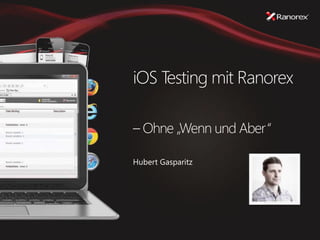
iOS Testing mit Ranorex
– Ohne „Wenn und Aber“
Hubert Gasparitz
2
Ranorex
» Gegründet 2007
» Teil der EOS Gruppe
» Hauptsitz in Graz
» 40+ Mitarbeiter
» Entwicklung, Sales, Support, Marketing,…
» Niederlassung in Clearwater / Florida USA
» 10+ Mitarbeiter
» Sales, Support
3
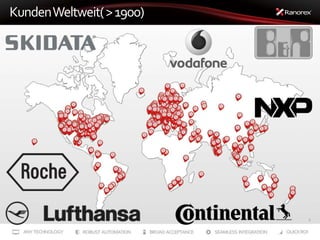
KundenWeltweit(>1900)
4
iOS Test Herausforderungen
» Vorraussetzungen
» Mac Rechner
» Xcode
» iOS Geräte (Ipad, Iphone)
» Developer Account
» Kostenfaktor
» Verteilte Teams (Dev ↔ Test)
» Outsourcing
» Testteam bekommt nur zu testendes Packet.
» Mac Rechner + Geräte notwendig
5
iOS Testen mit Ranorex
» Windows Umgebung
» Kein Mac Rechner, Kein XCode
» Geräte müssen nur im Developer Acount enthalten sein
» Was ist notwendig?
» IPA (iOS Application Archive) File (nicht aus AppStore)
» Developer Profil
» Signing Key
6
iOS Testen mit Ranorex
» App Vorbereitung (Instrumentieren)
» Entpacken
» Automatisierung Lib wird zur App hinzugefügt
» Signen mit Developer Profile / Key
» Installation auf Gerät
Unzip Add
AutomationLib
Developer Profile
Signing Key
Instrumented IPA
Demo
One Question?
Danke für Ihre
Aufmerksamkeit!
www.ranorex.com
Hubert Gasparitz
hgasparitz@ranorex.com

IOS testing mit ranorex

  • 1.
    iOS Testing mitRanorex – Ohne „Wenn und Aber“ Hubert Gasparitz
  • 2.
    2 Ranorex » Gegründet 2007 »Teil der EOS Gruppe » Hauptsitz in Graz » 40+ Mitarbeiter » Entwicklung, Sales, Support, Marketing,… » Niederlassung in Clearwater / Florida USA » 10+ Mitarbeiter » Sales, Support
  • 3.
  • 4.
    4 iOS Test Herausforderungen »Vorraussetzungen » Mac Rechner » Xcode » iOS Geräte (Ipad, Iphone) » Developer Account » Kostenfaktor » Verteilte Teams (Dev ↔ Test) » Outsourcing » Testteam bekommt nur zu testendes Packet. » Mac Rechner + Geräte notwendig
  • 5.
    5 iOS Testen mitRanorex » Windows Umgebung » Kein Mac Rechner, Kein XCode » Geräte müssen nur im Developer Acount enthalten sein » Was ist notwendig? » IPA (iOS Application Archive) File (nicht aus AppStore) » Developer Profil » Signing Key
  • 6.
    6 iOS Testen mitRanorex » App Vorbereitung (Instrumentieren) » Entpacken » Automatisierung Lib wird zur App hinzugefügt » Signen mit Developer Profile / Key » Installation auf Gerät Unzip Add AutomationLib Developer Profile Signing Key Instrumented IPA
  • 7.
  • 8.
  • 9.