Git
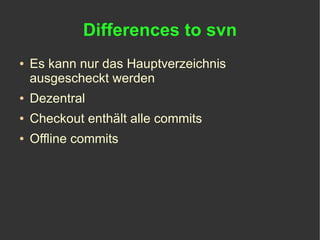
Differences to svn
●   Es kann nur das Hauptverzeichnis
    ausgescheckt werden
●   Dezentral
●   Checkout enthält alle commits
●   Offline commits
Config
~/.gitconfig
●   git config --global user.name "Gordon Franke"
●   git config --global user.email "info@nevalon.de"
[user]
      name = Gordon Franke
      email = info@nevalon.de
.gitignore
●   Dateien und Verzeichnisse ignorieren


.DS_Store
Thumbs.db
nbproject
test/*/cache/
*.orig
.svn
Daily Business
Create
●   Neues Repository
    ●   git init
●   Clone Repository (Checkout)
    ●   git clone source destination
Status
●   Status abfragen
    ●   git status
●   Dateien müssen explizit mit zum commit
    hinzugefügt werden
    ●   git add file
●   Liste alle
    unversioniert/neu/gelöscht/modifiziert/modifiziert
    aber nicht hinzugefügt Dateien und Verzeichnissen
# On branch master
#
# Initial commit
#
# Changes to be committed:
# (use "git rm --cached <file>..." to unstage)
#
#      new file: test
#      new file: test2
#
# Changed but not updated:
# (use "git add <file>..." to update what will be committed)
# (use "git checkout -- <file>..." to discard changes in working directory)
#
#      modified: test
#
# Untracked files:
# (use "git add <file>..." to include in what will be committed)
#
#      test3
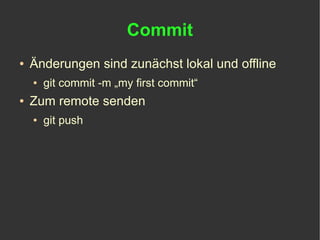
Commit
●   Änderungen sind zunächst lokal und offline
    ●   git commit -m „my first commit“
●   Zum remote senden
    ●   git push
Submodule
Submodules („externals“)
●   einbinden
    ●   git submodule add path
●   Listen
    ●   git submodule
●   Initialisieren
    ●   git submodule init
●   Update
    ●   git submodule update
.gitmodules
[submodule "dmCorePlugin/plugins/sfImageTransformPlugin"]
    path = dmCorePlugin/plugins/sfImageTransformPlugin
     url = git://github.com/diem-
project/sfImageTransformPlugin.git
[submodule "dmCorePlugin/plugins/sfWebBrowserPlugin"]
    path = dmCorePlugin/plugins/sfWebBrowserPlugin
    url = git://github.com/diem-project/sfWebBrowserPlugin.git
Branch
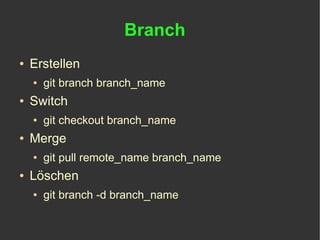
Branch
●   Erstellen
    ●   git branch branch_name
●   Switch
    ●   git checkout branch_name
●   Merge
    ●   git pull remote_name branch_name
●   Löschen
    ●   git branch -d branch_name
History
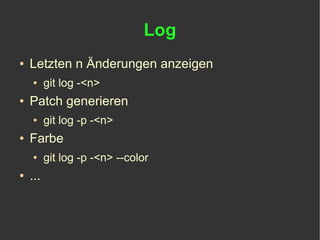
Log
●   Letzten n Änderungen anzeigen
    ●     git log -<n>
●   Patch generieren
    ●     git log -p -<n>
●   Farbe
    ●     git log -p -<n> --color
●   ...
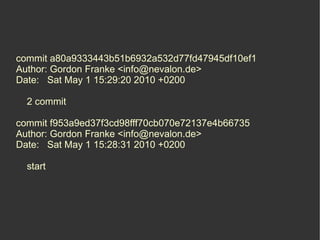
commit a80a9333443b51b6932a532d77fd47945df10ef1
Author: Gordon Franke <info@nevalon.de>
Date: Sat May 1 15:29:20 2010 +0200

  2 commit

commit f953a9ed37f3cd98fff70cb070e72137e4b66735
Author: Gordon Franke <info@nevalon.de>
Date: Sat May 1 15:28:31 2010 +0200

  start
About me
Gordon Franke
●   Deutschland
●   Entwickler
●   Chip Xonio Online GmbH
    (www.chip.de)
●   Blog (blog.nevalon.de)
●   Twitter (twitter.com/gimler)

Git

  • 1.
  • 2.
    Differences to svn ● Es kann nur das Hauptverzeichnis ausgescheckt werden ● Dezentral ● Checkout enthält alle commits ● Offline commits
  • 3.
  • 4.
    ~/.gitconfig ● git config --global user.name "Gordon Franke" ● git config --global user.email "info@nevalon.de" [user] name = Gordon Franke email = info@nevalon.de
  • 5.
    .gitignore ● Dateien und Verzeichnisse ignorieren .DS_Store Thumbs.db nbproject test/*/cache/ *.orig .svn
  • 6.
  • 7.
    Create ● Neues Repository ● git init ● Clone Repository (Checkout) ● git clone source destination
  • 8.
    Status ● Status abfragen ● git status ● Dateien müssen explizit mit zum commit hinzugefügt werden ● git add file ● Liste alle unversioniert/neu/gelöscht/modifiziert/modifiziert aber nicht hinzugefügt Dateien und Verzeichnissen
  • 9.
    # On branchmaster # # Initial commit # # Changes to be committed: # (use "git rm --cached <file>..." to unstage) # # new file: test # new file: test2 # # Changed but not updated: # (use "git add <file>..." to update what will be committed) # (use "git checkout -- <file>..." to discard changes in working directory) # # modified: test # # Untracked files: # (use "git add <file>..." to include in what will be committed) # # test3
  • 10.
    Commit ● Änderungen sind zunächst lokal und offline ● git commit -m „my first commit“ ● Zum remote senden ● git push
  • 11.
  • 12.
    Submodules („externals“) ● einbinden ● git submodule add path ● Listen ● git submodule ● Initialisieren ● git submodule init ● Update ● git submodule update
  • 13.
    .gitmodules [submodule "dmCorePlugin/plugins/sfImageTransformPlugin"] path = dmCorePlugin/plugins/sfImageTransformPlugin url = git://github.com/diem- project/sfImageTransformPlugin.git [submodule "dmCorePlugin/plugins/sfWebBrowserPlugin"] path = dmCorePlugin/plugins/sfWebBrowserPlugin url = git://github.com/diem-project/sfWebBrowserPlugin.git
  • 14.
  • 15.
    Branch ● Erstellen ● git branch branch_name ● Switch ● git checkout branch_name ● Merge ● git pull remote_name branch_name ● Löschen ● git branch -d branch_name
  • 16.
  • 17.
    Log ● Letzten n Änderungen anzeigen ● git log -<n> ● Patch generieren ● git log -p -<n> ● Farbe ● git log -p -<n> --color ● ...
  • 18.
    commit a80a9333443b51b6932a532d77fd47945df10ef1 Author: GordonFranke <info@nevalon.de> Date: Sat May 1 15:29:20 2010 +0200 2 commit commit f953a9ed37f3cd98fff70cb070e72137e4b66735 Author: Gordon Franke <info@nevalon.de> Date: Sat May 1 15:28:31 2010 +0200 start
  • 19.
  • 20.
    Gordon Franke ● Deutschland ● Entwickler ● Chip Xonio Online GmbH (www.chip.de) ● Blog (blog.nevalon.de) ● Twitter (twitter.com/gimler)