CSS Clean Code
Rick Jäger, ETECTURE
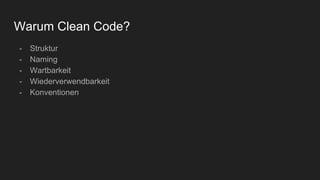
Warum Clean Code?
- Struktur
- Naming
- Wartbarkeit
- Wiederverwendbarkeit
- Konventionen
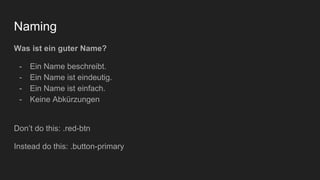
Naming
Was ist ein guter Name?
- Ein Name beschreibt.
- Ein Name ist eindeutig.
- Ein Name ist einfach.
- Keine Abkürzungen
Don’t do this: .red-btn
Instead do this: .button-primary
Clean Code Beispiele
- Vermeide Globale und Element-Selektoren:
*, p, button, h1, [type=checkbox]
- Verkette keine Klassen:
.message.warning
- Vermeide id Selektoren:
#sidebar
- Vermeide CSS “Hacks”
- Benutze Einheitliche Einheiten (der Einheit wegen)
NEXT: Chaos ist vorprogrammiert!
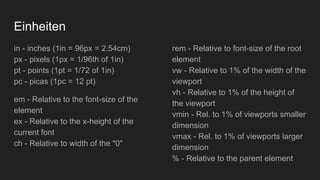
Einheiten
in - inches (1in = 96px = 2.54cm)
px - pixels (1px = 1/96th of 1in)
pt - points (1pt = 1/72 of 1in)
pc - picas (1pc = 12 pt)
em - Relative to the font-size of the
element
ex - Relative to the x-height of the
current font
ch - Relative to width of the "0"
rem - Relative to font-size of the root
element
vw - Relative to 1% of the width of the
viewport
vh - Relative to 1% of the height of
the viewport
vmin - Rel. to 1% of viewports smaller
dimension
vmax - Rel. to 1% of viewports larger
dimension
% - Relative to the parent element
Wie schreibe ich Clean Code?
Konventionen
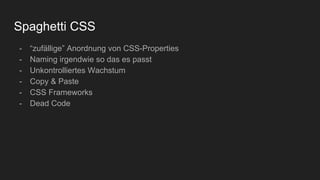
Spaghetti CSS
- “zufällige” Anordnung von CSS-Properties
- Naming irgendwie so das es passt
- Unkontrolliertes Wachstum
- Copy & Paste
- CSS Frameworks
- Dead Code
So geht es besser
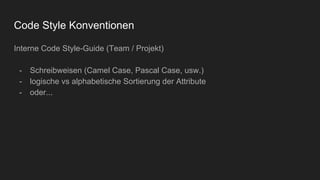
Code Style Konventionen
Interne Code Style-Guide (Team / Projekt)
- Schreibweisen (Camel Case, Pascal Case, usw.)
- logische vs alphabetische Sortierung der Attribute
- oder...
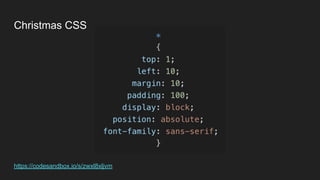
https://codesandbox.io/s/zwxl8xljvm
Christmas CSS
Code Style “Helper”
- CSS Linter
- Prettier (https://prettier.io/)
- PostCSS (https://postcss.org/)
Konventionen
- Externe Code Style Guides (Community getrieben)*
- BEM / SMACSS
- SASS / LESS / Stylus
- CSS Modules
* Google Style Guide: https://google.github.io/styleguide/htmlcssguide.html
Github: https://styleguide.github.com/primer/
Website Style Guide Resources: http://styleguides.io/
BEM (Block, Element, Modifier)
1. Block
Beschreibt Elemente, die unabhängig von ihrem Einsatzort verwendet
werden.
z.B. <nav>, <header>, <footer>
2. Element
Elemente sind immer an einen Block gebunden
3. Modifier
Variante eines Elements, wie z.B. :hover, :active
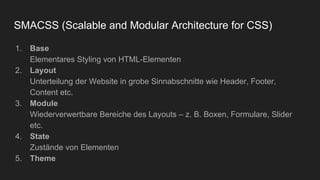
SMACSS (Scalable and Modular Architecture for CSS)
1. Base
Elementares Styling von HTML-Elementen
2. Layout
Unterteilung der Website in grobe Sinnabschnitte wie Header, Footer,
Content etc.
3. Module
Wiederverwertbare Bereiche des Layouts – z. B. Boxen, Formulare, Slider
etc.
4. State
Zustände von Elementen
5. Theme
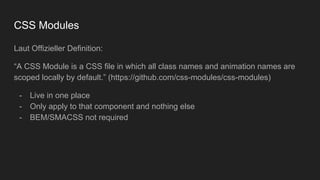
CSS Modules
Laut Offizieller Definition:
“A CSS Module is a CSS file in which all class names and animation names are
scoped locally by default.” (https://github.com/css-modules/css-modules)
- Live in one place
- Only apply to that component and nothing else
- BEM/SMACSS not required
Und was bringt mir das überhaupt?
Performance*
CSS Render Speed
#main-navigation { } /* ID (Fastest) */
body.home #page-wrap { } /* Element -> Class -> ID*/
.main-navigation { } /* Class */
ul li a.current { } /* Element -> Element -> Class */
ul { } /* Tag */
ul li a { } /* Tag -> Tag -> ...*/
* { } /* Universal (Slowest) */
#content [title='home'] /* Universal */
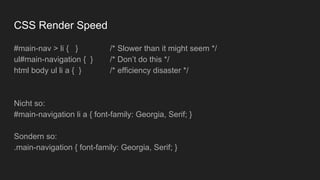
CSS Render Speed
#main-nav > li { } /* Slower than it might seem */
ul#main-navigation { } /* Don’t do this */
html body ul li a { } /* efficiency disaster */
Nicht so:
#main-navigation li a { font-family: Georgia, Serif; }
Sondern so:
.main-navigation { font-family: Georgia, Serif; }
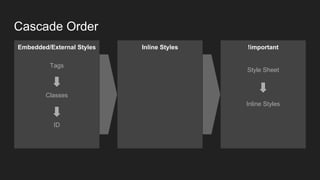
Cascade Order
Embedded/External Styles
Tags
Classes
ID
Inline Styles !important
Style Sheet
Inline Styles
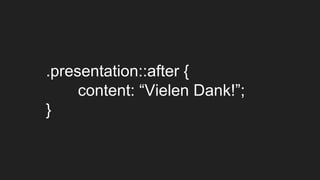
.presentation::after {
content: “Vielen Dank!”;
}

CSS Clean Code

  • 1.
    CSS Clean Code RickJäger, ETECTURE
  • 2.
    Warum Clean Code? -Struktur - Naming - Wartbarkeit - Wiederverwendbarkeit - Konventionen
  • 3.
    Naming Was ist einguter Name? - Ein Name beschreibt. - Ein Name ist eindeutig. - Ein Name ist einfach. - Keine Abkürzungen Don’t do this: .red-btn Instead do this: .button-primary
  • 4.
    Clean Code Beispiele -Vermeide Globale und Element-Selektoren: *, p, button, h1, [type=checkbox] - Verkette keine Klassen: .message.warning - Vermeide id Selektoren: #sidebar - Vermeide CSS “Hacks” - Benutze Einheitliche Einheiten (der Einheit wegen) NEXT: Chaos ist vorprogrammiert!
  • 5.
    Einheiten in - inches(1in = 96px = 2.54cm) px - pixels (1px = 1/96th of 1in) pt - points (1pt = 1/72 of 1in) pc - picas (1pc = 12 pt) em - Relative to the font-size of the element ex - Relative to the x-height of the current font ch - Relative to width of the "0" rem - Relative to font-size of the root element vw - Relative to 1% of the width of the viewport vh - Relative to 1% of the height of the viewport vmin - Rel. to 1% of viewports smaller dimension vmax - Rel. to 1% of viewports larger dimension % - Relative to the parent element
  • 6.
    Wie schreibe ichClean Code?
  • 7.
  • 8.
    Spaghetti CSS - “zufällige”Anordnung von CSS-Properties - Naming irgendwie so das es passt - Unkontrolliertes Wachstum - Copy & Paste - CSS Frameworks - Dead Code
  • 9.
    So geht esbesser
  • 10.
    Code Style Konventionen InterneCode Style-Guide (Team / Projekt) - Schreibweisen (Camel Case, Pascal Case, usw.) - logische vs alphabetische Sortierung der Attribute - oder...
  • 11.
  • 12.
    Code Style “Helper” -CSS Linter - Prettier (https://prettier.io/) - PostCSS (https://postcss.org/)
  • 13.
    Konventionen - Externe CodeStyle Guides (Community getrieben)* - BEM / SMACSS - SASS / LESS / Stylus - CSS Modules * Google Style Guide: https://google.github.io/styleguide/htmlcssguide.html Github: https://styleguide.github.com/primer/ Website Style Guide Resources: http://styleguides.io/
  • 14.
    BEM (Block, Element,Modifier) 1. Block Beschreibt Elemente, die unabhängig von ihrem Einsatzort verwendet werden. z.B. <nav>, <header>, <footer> 2. Element Elemente sind immer an einen Block gebunden 3. Modifier Variante eines Elements, wie z.B. :hover, :active
  • 15.
    SMACSS (Scalable andModular Architecture for CSS) 1. Base Elementares Styling von HTML-Elementen 2. Layout Unterteilung der Website in grobe Sinnabschnitte wie Header, Footer, Content etc. 3. Module Wiederverwertbare Bereiche des Layouts – z. B. Boxen, Formulare, Slider etc. 4. State Zustände von Elementen 5. Theme
  • 16.
    CSS Modules Laut OffiziellerDefinition: “A CSS Module is a CSS file in which all class names and animation names are scoped locally by default.” (https://github.com/css-modules/css-modules) - Live in one place - Only apply to that component and nothing else - BEM/SMACSS not required
  • 17.
    Und was bringtmir das überhaupt?
  • 18.
  • 19.
    CSS Render Speed #main-navigation{ } /* ID (Fastest) */ body.home #page-wrap { } /* Element -> Class -> ID*/ .main-navigation { } /* Class */ ul li a.current { } /* Element -> Element -> Class */ ul { } /* Tag */ ul li a { } /* Tag -> Tag -> ...*/ * { } /* Universal (Slowest) */ #content [title='home'] /* Universal */
  • 20.
    CSS Render Speed #main-nav> li { } /* Slower than it might seem */ ul#main-navigation { } /* Don’t do this */ html body ul li a { } /* efficiency disaster */ Nicht so: #main-navigation li a { font-family: Georgia, Serif; } Sondern so: .main-navigation { font-family: Georgia, Serif; }
  • 21.
    Cascade Order Embedded/External Styles Tags Classes ID InlineStyles !important Style Sheet Inline Styles
  • 22.